


OSC
Open-source OSC library for Arduino and Teensy, enabling real-time control over UDP via WIZnet Ethernet shields.
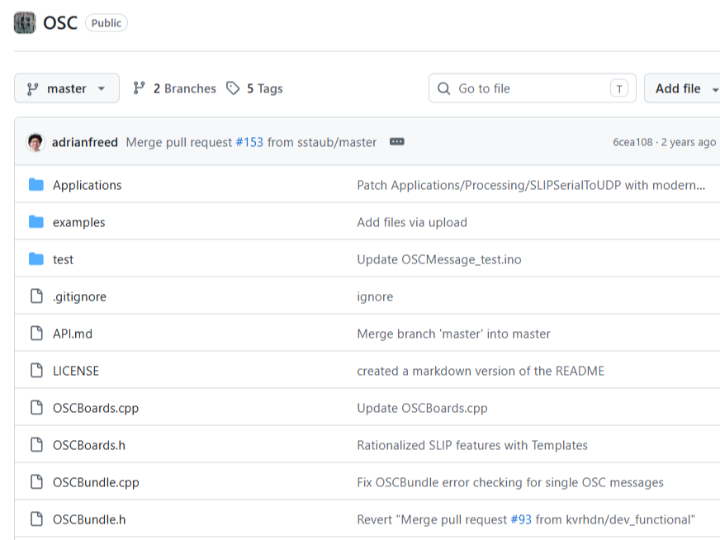
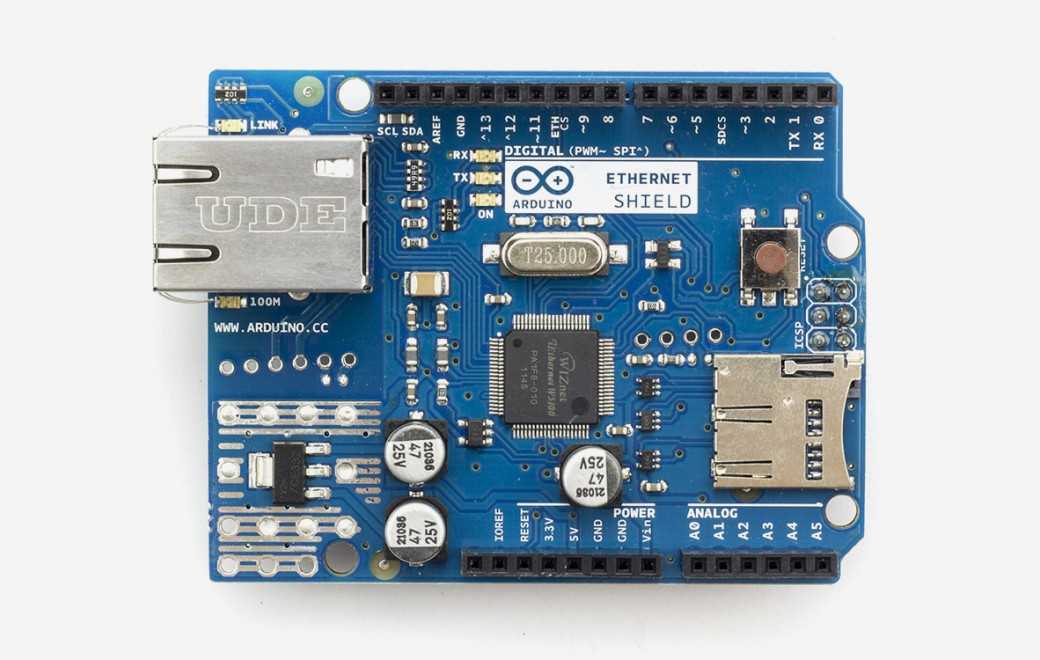
Arduino - Arduino Ethernet Shield
x 1


Arduino - Arduino IDE
x 1
Implementing a Music Control Protocol on Arduino — CNMAT OSC Library
In One Sentence
"A library that enables Arduino and Teensy to communicate in real time with music software like Max/MSP and PD using the OSC protocol."
A sensor on stage triggers a change in music. A visitor's movement in an interactive installation fires a lighting and sound event. Behind most of these experiences is a protocol called OSC (Open Sound Control).
The CNMAT OSC Library is an open-source implementation of OSC for Arduino and Teensy. It supports multiple transport layers — UDP, Serial, and TCP — and runs on Arduino Ethernet Shield environments powered by WIZnet Ethernet chips.
The latest version is v3.5.8 (September 2023), developed by CNMAT (Center for New Music and Audio Technologies) at UC Berkeley.
Key Concepts
What is OSC (Open Sound Control)?
OSC is a network-based control protocol developed as a successor to MIDI. Unlike MIDI, which transmits simple numeric values, OSC uses a hierarchical address pattern structure and supports multiple data types — integers, floats, strings, and binary blobs. Beyond music software, it's widely used in lighting control, interactive media, and stage automation.
What is CNMAT?
CNMAT is a research center at UC Berkeley and the birthplace of the OSC protocol itself. The fact that this Arduino library comes directly from the protocol's original authors gives it strong credibility.
Hardware Setup
This library is not tied to specific hardware — it works with any transport layer that implements Arduino's Stream class. For Ethernet UDP communication, an Arduino Ethernet Shield with a WIZnet chip is the standard choice.
| Component | Example | Notes |
|---|---|---|
| MCU | Arduino Mega, Uno, Teensy, etc. | ARM-based boards recommended |
| Network | Arduino Ethernet Shield (W5100/W5500) | Required for UDP transport |
| Transport | UDP, Serial (SLIP), TCP | Choose based on use case |
| Software Integration | Max/MSP, PD, TouchOSC, Processing | Any OSC-compatible application |
Features
Sending and Receiving OSC Messages
An OSC message consists of an address and a set of arguments. The address is a hierarchical path string like /sensor/analog/0, and arguments can be integers, floats, strings, or blobs.
// Create and send a message
OSCMessage msg("/sensor/value");
msg.add(analogRead(A0));      // integer
msg.add(3.14f);               // float
msg.add("hello");             // string
Udp.beginPacket(destIP, 9000);
msg.send(Udp);
Udp.endPacket();
Address Pattern Routing
Incoming messages can be routed to specific handler functions by matching their address. Wildcard pattern matching is also supported.
OSCMessage msg;
// Call onLed() when address matches "/led"
msg.dispatch("/led", onLed);
// Route all addresses starting with "/sensor"
msg.route("/sensor", onSensor);
OSCBundle
Multiple messages can be grouped into a bundle and sent together. Bundles support 64-bit timetags for synchronized event scheduling.
OSCBundle bundle;
bundle.add("/ch/1").add(0.8f);
bundle.add("/ch/2").add(0.3f);
Udp.beginPacket(destIP, 9000);
bundle.send(Udp);
Udp.endPacket();
SLIP Serial
For Serial communication, SLIP (Serial Line Internet Protocol) encoding is used to delimit packet boundaries. This is the standard approach when connecting directly to Max/MSP or PD over USB Serial.
System Architecture
Arduino (sensors / actuators)
        │
        │  OSC messages (UDP / Serial)
        │
   WIZnet Ethernet Shield
        │
        │  Ethernet / USB
        ▼
Max/MSP, PD, TouchOSC, Processing, etc.
        │
        │  OSC messages (feedback)
        ▼
Arduino (LEDs, motors, displays, etc.)
Because the communication is bidirectional, Arduino can stream sensor data to software while simultaneously receiving commands from it to control outputs like LEDs or motors.
The Role of WIZnet Ethernet Chips
UDP-based OSC communication in this library runs through an Arduino Ethernet Shield equipped with a WIZnet Ethernet chip. Since the library uses Arduino's standard Ethernet and EthernetUDP classes, it is compatible with any WIZnet-based shield — W5100, W5200, or W5500 — without any code changes.
Individual OSC messages are typically just tens of bytes in size, and transmission rates of tens to hundreds of Hz are common for sensor streaming. The W5500's hardwired TCP/IP stack and high-speed SPI interface handle this kind of real-time throughput reliably.
Use Cases
This library sees real-world use across a wide range of environments.
- Interactive installations: Visitor motion sensors → Arduino → OSC → Max/MSP → sound and video control
- Live performance: Sensor data from a performer's body mapped in real time to music parameters
- Lighting control: TouchOSC (mobile app) sending OSC commands to Arduino to control lighting dimmers
- Education and prototyping: Rapid hardware-software integration in music technology, media art, and HCI research
Tech Stack Summary
| Component | Details |
|---|---|
| Library Language | C++ (Arduino IDE / PlatformIO) |
| Supported Boards | Arduino Uno, Mega, Leonardo, Teensy 3.x, ESP8266/32, M0, etc. |
| Transport Layers | UDP (Ethernet), Serial (SLIP), TCP |
| Ethernet Chip | WIZnet W5100 / W5500 (Arduino Ethernet Shield) |
| Software Integration | Max/MSP, PD, TouchOSC, Processing, Node.js, Node-RED, etc. |
| License | The Regents of the University of California |
FAQ
Q. When should I use UDP vs. Serial (SLIP)?
A. UDP is generally the better choice when a network is available — it offers lower latency and supports broadcasting to multiple devices. If you want a quick 1:1 connection to a PC without an Ethernet Shield, USB Serial + SLIP is simpler to set up. Note that Serial communication requires SLIP encoding to properly delimit packet boundaries.
Q. Is this library compatible with both W5100 and W5500 shields?
A. Yes. The library uses Arduino's standard Ethernet and EthernetUDP classes, so it works with any WIZnet-based chip — W5100, W5200, or W5500 — that supports those classes. No code changes are needed when switching shields.
Q. Will increasing the message rate cause packet loss?
A. UDP is a connectionless protocol with no delivery guarantee, so packet loss is possible under high load. For sensor streaming where occasional loss is acceptable, UDP works well. For critical command delivery where reliability matters, use the TCP transport layer or implement an application-level acknowledgment mechanism.
Q. Can this be used with Wi-Fi MCUs like ESP32 or ESP8266?
A. Yes. ESP8266 and ESP32 are on the officially supported board list and can use Wi-Fi UDP as the transport layer — no WIZnet Ethernet Shield required. That said, for industrial or production environments where connection stability is critical, a wired Ethernet setup using a W5500-based shield is the more reliable choice.
Project Links
- GitHub: https://github.com/CNMAT/OSC
- Latest version: v3.5.8 (September 2023)
- ⭐ 794 / Fork 145
- Available directly from the Arduino Library Manager — search "OSC"