


Control Your STM32 from a Browser: W5500 CGI Web Server
ControllersTech's Part 6 tutorial builds a dynamic CGI web server on STM32F103 with W5500 hardware sockets: LED control, PWM slider, and live BME280 JSON data.

WIZnet - W5500
x 1

Overview
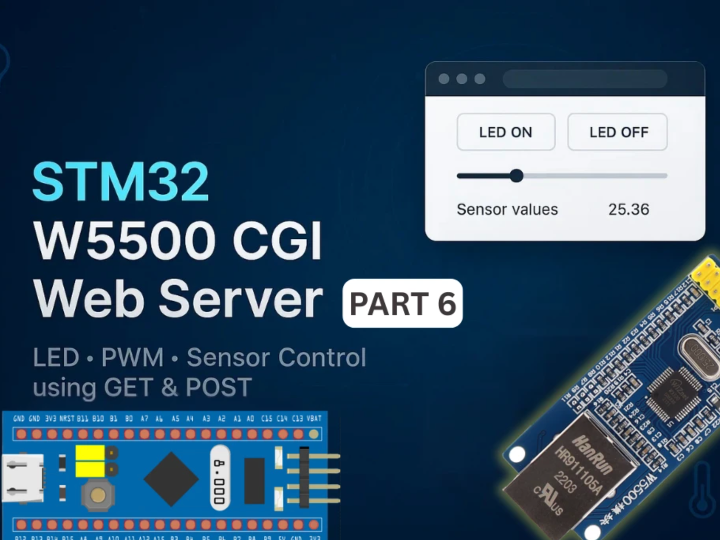
This is Part 6 of ControllersTech's STM32 W5500 Ethernet tutorial series, published December 3, 2025 by Arun Rawat, the embedded educator behind controllerstech.com, with a companion video on the ControllersTech YouTube channel. The series walks an STM32F103 from a first ping all the way to MQTT, and this installment is where the web server becomes interactive: a dynamic HTTP web server using CGI, running on WIZnet W5500 hardware sockets, that lets a browser switch an LED, dim it with a PWM slider, and watch live temperature, humidity, and pressure from a BME280 sensor, all on a single page that never reloads.
For a WIZnet reader the value is concrete: the whole server is built from WIZnet's own ioLibrary httpServer module, so the tutorial doubles as a documented, working reference for the library's CGI path on the W5500.
What CGI means here, in plain terms
CGI (Common Gateway Interface) is a simple convention that lets a web server run a small handler when the browser requests a special URI, instead of returning a fixed page. On a microcontroller that is exactly what you want: the browser sends GET or POST requests, and the STM32 answers by reading a sensor or driving a pin. In this project three CGI endpoints do the work. A GET to sensor.cgi returns fresh BME280 readings as JSON every five seconds. A POST to led.cgi carries "led=on" or "led=off" and toggles a GPIO. A POST to pwm.cgi carries a slider value from 0 to 255 and updates a timer's duty cycle. The page itself is a static HTML string in firmware with a few lines of JavaScript fetch() calls.
How the server is built on the W5500
The HTTP server comes straight from the WIZnet ioLibrary: the httpServer folder (httpServer, httpParser, httpUtil) is copied into the project, and the example files register index.html and implement the predefined GET and POST CGI processors. Socket usage is explicit and instructive. The W5500 provides 8 hardware sockets; socket 7 is already used by DHCP and socket 6 by DNS from Part 1 of the series, so the server is configured with HTTP_MAX_SOCK = 2 running on sockets 0 and 1, letting two clients connect at once. httpServer_run() is called for each socket in the main loop (or a FreeRTOS task), and it handles accepting clients, parsing requests, matching URIs, and sending responses.
The GET handler checks the URI for sensor.cgi, reads the BME280, and sprintf's a JSON string of temperature, humidity, and pressure. The POST handlers parse the body for led= or pwm= values and call out to user functions led_Control() and pwm_Set(), which drive PC14 and TIM2 channel 2 respectively. The browser side updates the page from the responses, so the LED status text and sensor numbers change in real time.
Hardware and configuration
The build targets an STM32F103C8 wired to a W5500 module over SPI, as set up in Part 1 of the series. New in this part: a BME280 on I2C1 (PB6 SCL, PB7 SDA), an on/off LED on PC14, and a PWM LED on PA1 (TIM2 channel 2, prescaler around 100, auto-reload 255 so the duty range matches the slider). CubeMX screenshots cover each peripheral, and the full project is downloadable from the article.
Testing and results
The article closes with a real test pass: UART logs showing W5500 initialization and the incoming GET/POST activity for each CGI endpoint, the index page loading in a browser at the DHCP-assigned address, GIFs of the LED responding to the buttons and dimming with the slider, and the sensor panel refreshing every five seconds from the JSON responses.
Value and limits
The value is a complete, tested, reproducible pattern for interactive device control over wired Ethernet with no external web stack: WIZnet's own library, hardware sockets, and about three small handlers. It is a natural foundation for home automation panels, sensor dashboards, and lab instruments, and the series continues into MQTT in Part 7 on the same footing.
The limits are modest and worth stating. It is a tutorial rather than a productized device, the webpage lives in firmware as a static string, and there is no authentication or TLS on the server, which is typical for LAN-side tutorial scope.
Related reading on the Maker site
This post fills a gap in a series already on the Maker site: Part 2 (TCP server), Part 5 (the static HTTP webserver this part extends), and Part 7 (MQTT client) are curated, so readers can follow the same author from a first socket to an interactive dashboard and on to MQTT without changing hardware.
FAQ
Which WIZnet chip does it use, and how? The W5500 over SPI, running WIZnet's ioLibrary httpServer on hardware sockets 0 and 1, with DHCP and DNS on sockets 7 and 6 from earlier in the series.
What can the browser actually do? Toggle an LED (POST led.cgi), set PWM brightness 0-255 (POST pwm.cgi), and read live BME280 temperature, humidity, and pressure as JSON (GET sensor.cgi) refreshed every five seconds.
Do I need Parts 1-5 first? Part 1 (SPI wiring, DHCP, ping) and Part 5 (the static HTTP server) are the direct prerequisites; this part adds the CGI layer on top.
Is the code available? Yes, the full STM32CubeIDE project is downloadable from the article, and the HTTP server itself comes from WIZnet's public ioLibrary.