


OpenKNX REG1: A Bus-Powered DIN-Rail KNX-IP Router on RP2040 and W5500
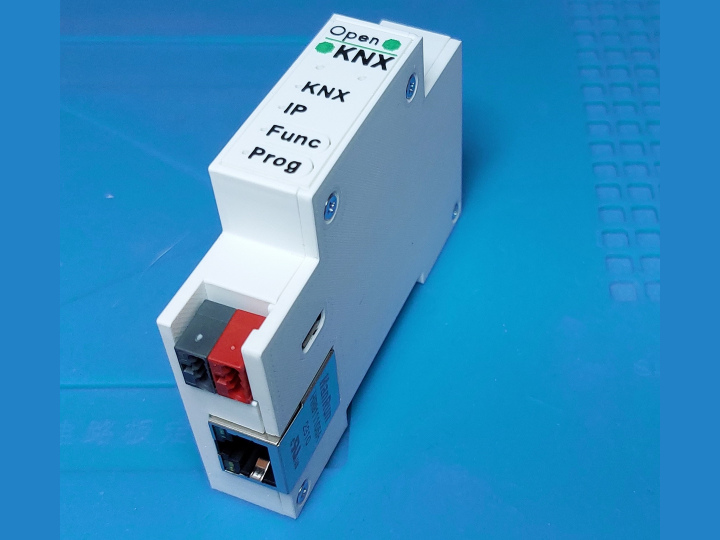
OpenKNX REG1 is an open hardware DIN-rail platform whose REG1-App-Eth board adds a WIZnet W5500 to an RP2040, bridging a KNX twisted-pair line and KNX-IP.

WIZnet - W5500
x 1

Designator U1 on both REG1-App-Eth and REG1-IpController2040. KiCad symbol Interface_Ethernet:W5500 with Manufacturer WIZnet and MPN W5500, paired with a 25 MHz crystal and a HanRun HR911105A magnetic
📌 A KNX Router That Runs on Bus Power and Publishes Its Own Schematics
OpenKNX is a group of KNX enthusiasts who, in their own words, were not satisfied with many commercial products and wanted modular software that anyone can use, adapt and extend. They publish the hardware too, with schematics and layouts complete enough for an experienced builder to reproduce a device from scratch. The work is now carried by OpenKNX e.V., a registered German non-profit formed so the project does not depend on any single person.
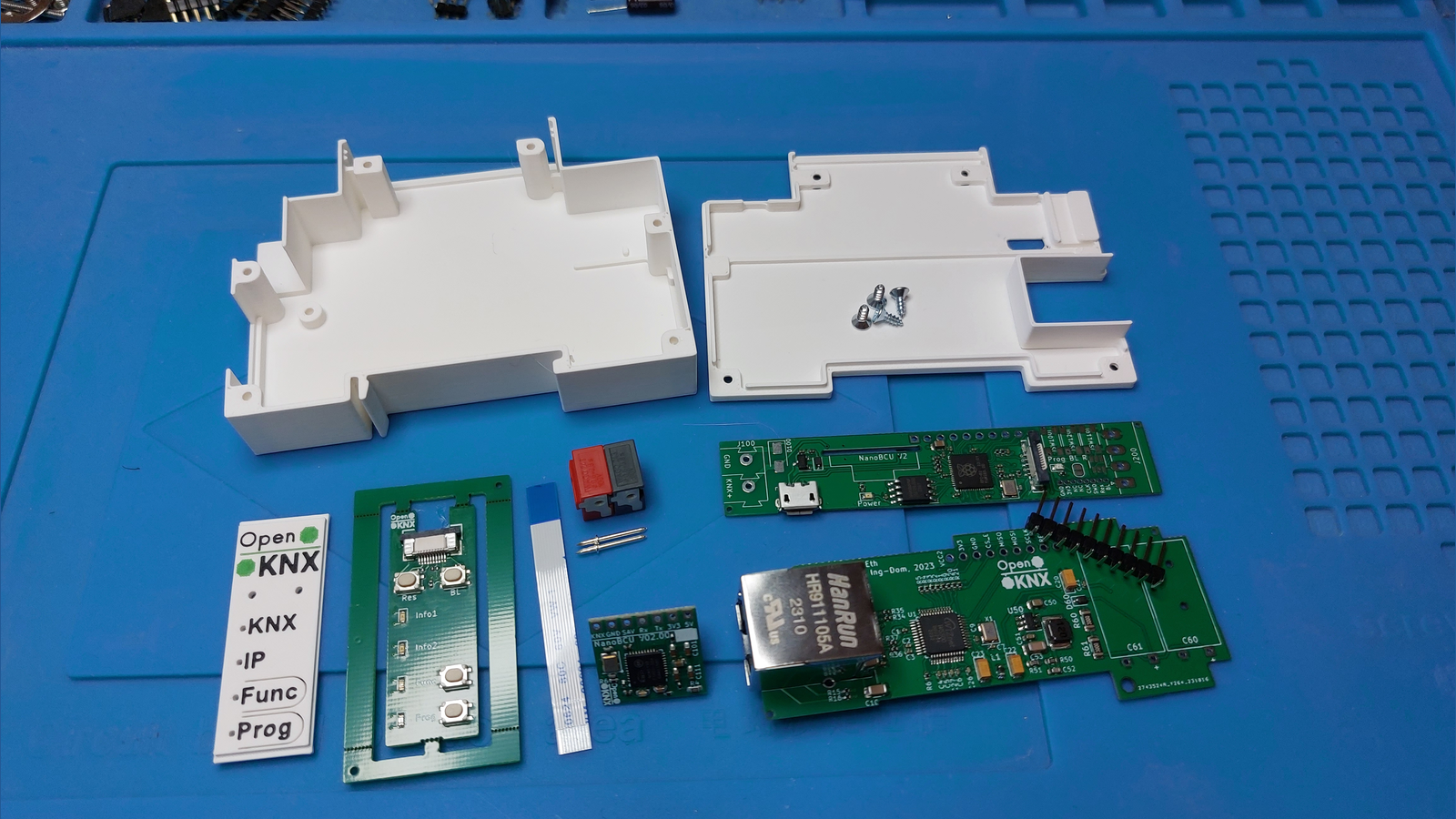
The OpenKNX-REG1 repository is the hardware half of that promise. REG1 is a family of building automation devices for the 35 mm DIN rail in electrical cabinets, each 17.5 mm wide and assembled from three shared pieces: a controller PCB with the microcontroller and the bus connection, a front PCB with buttons and LEDs, and an optional application PCB for extra connectors and functions. One of those application boards, REG1-App-Eth, carries a WIZnet W5500 and a HanRun HR911105A magnetic jack, and that single board is what turns a KNX device into a KNX-IP router.
KNX-TP, KNX-IP, and the Gap Between Them
KNX is the building automation standard behind lighting, blinds and heating in many European installations. Its classic physical layer is KNX-TP, a two wire twisted pair that carries data and device power on the same cable. KNX-IP carries the same telegrams over ordinary Ethernet, either as multicast routing between lines or as a tunnel that a laptop running ETS, a visualisation server or a logic engine opens to reach the bus. A router sits between the two and forwards telegrams in both directions.
The maker has written openly about why he built one. In the KNX-User-Forum thread that has followed this project since December 2023, he explains that commercial KNX IP routers were comparatively expensive for his purposes and that eibd or knxd on a Raspberry Pi was not as dependable as he wanted. He then sums the design up in three parts: a bus coupling unit, a controller, and a W5500 Ethernet chip. His first working prototype was a Raspberry Pi Pico, a BCU and a W5500 breakout board bought online.
⚙️ Role of the W5500 on the REG1 App Connector
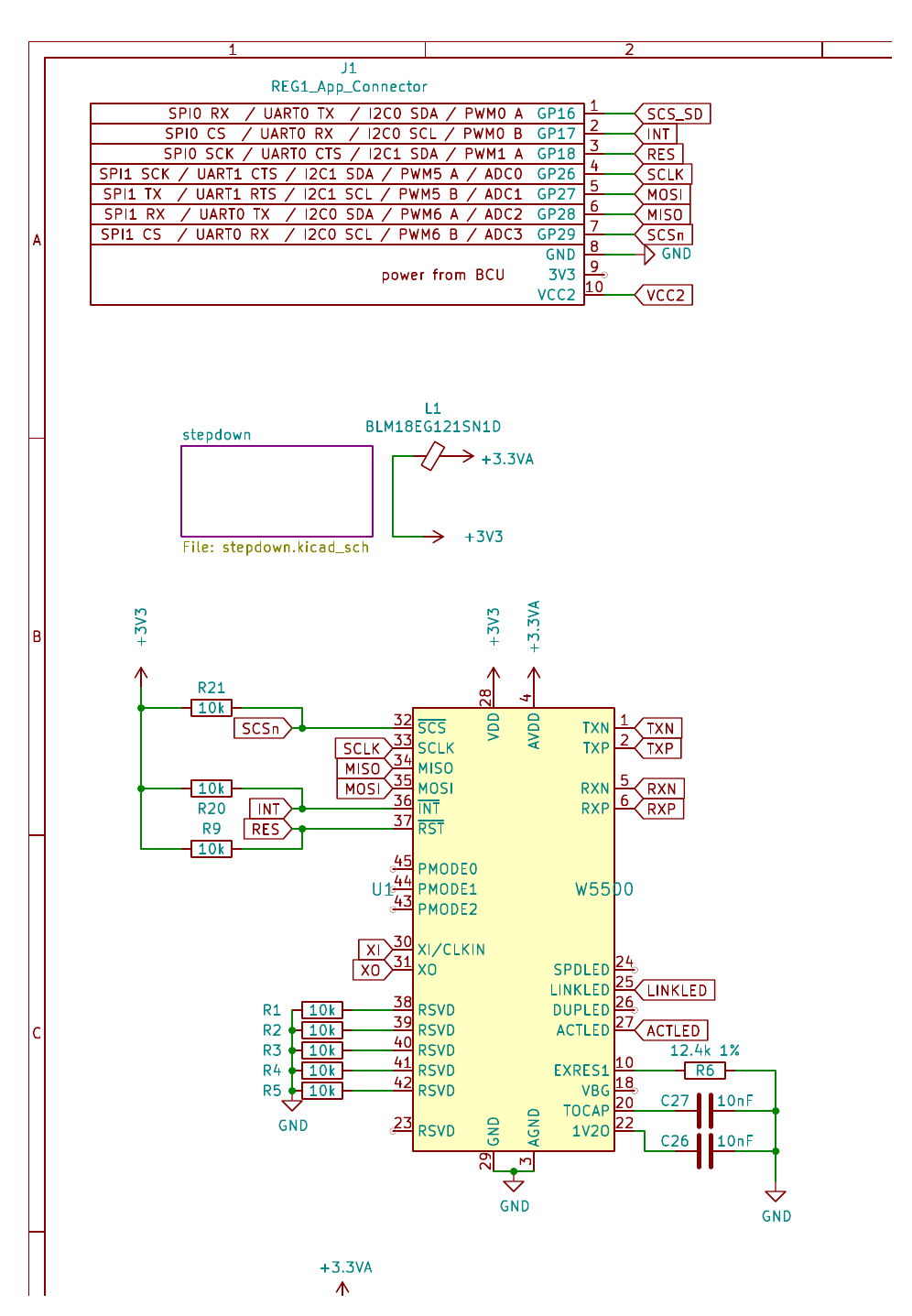
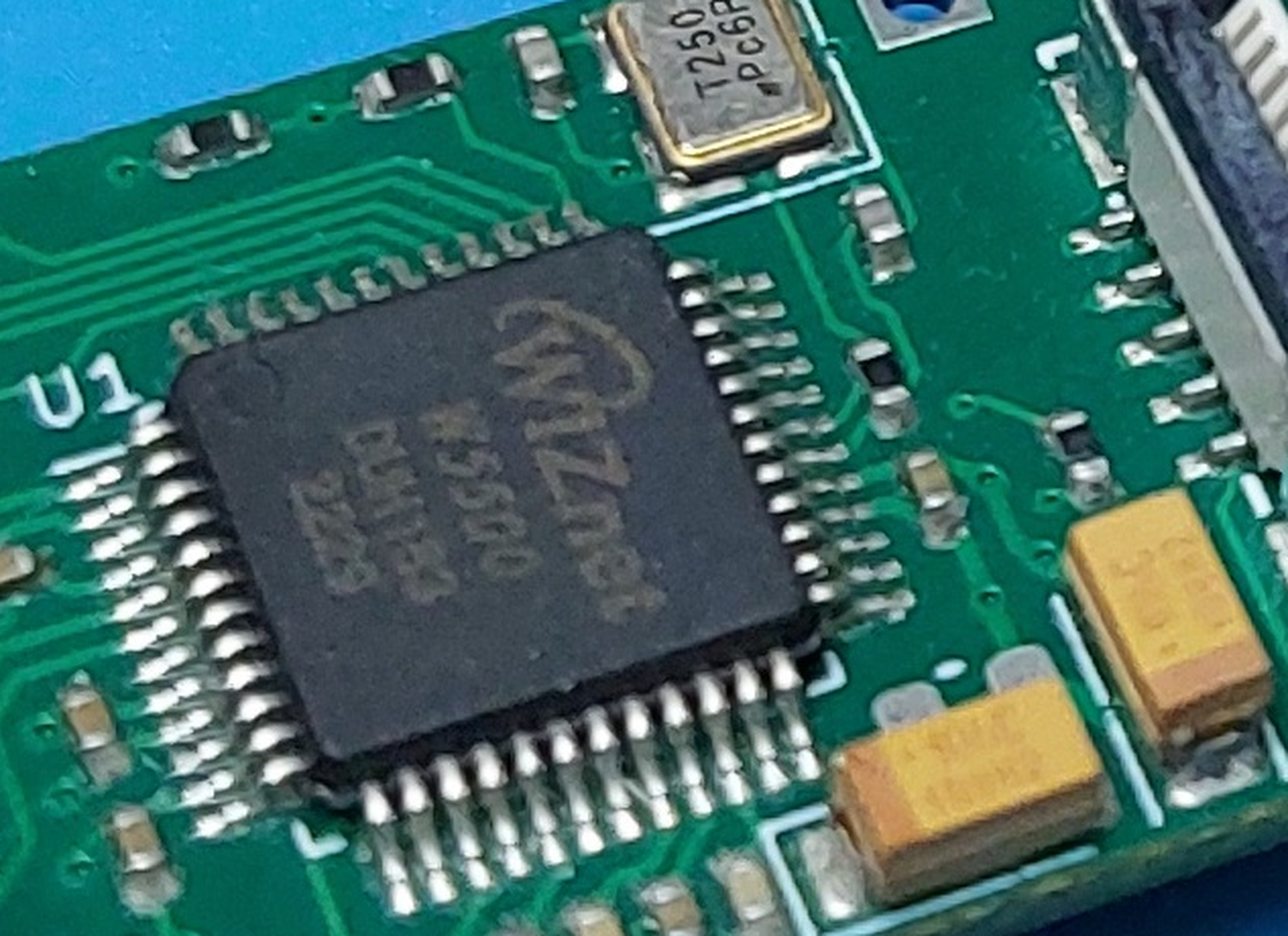
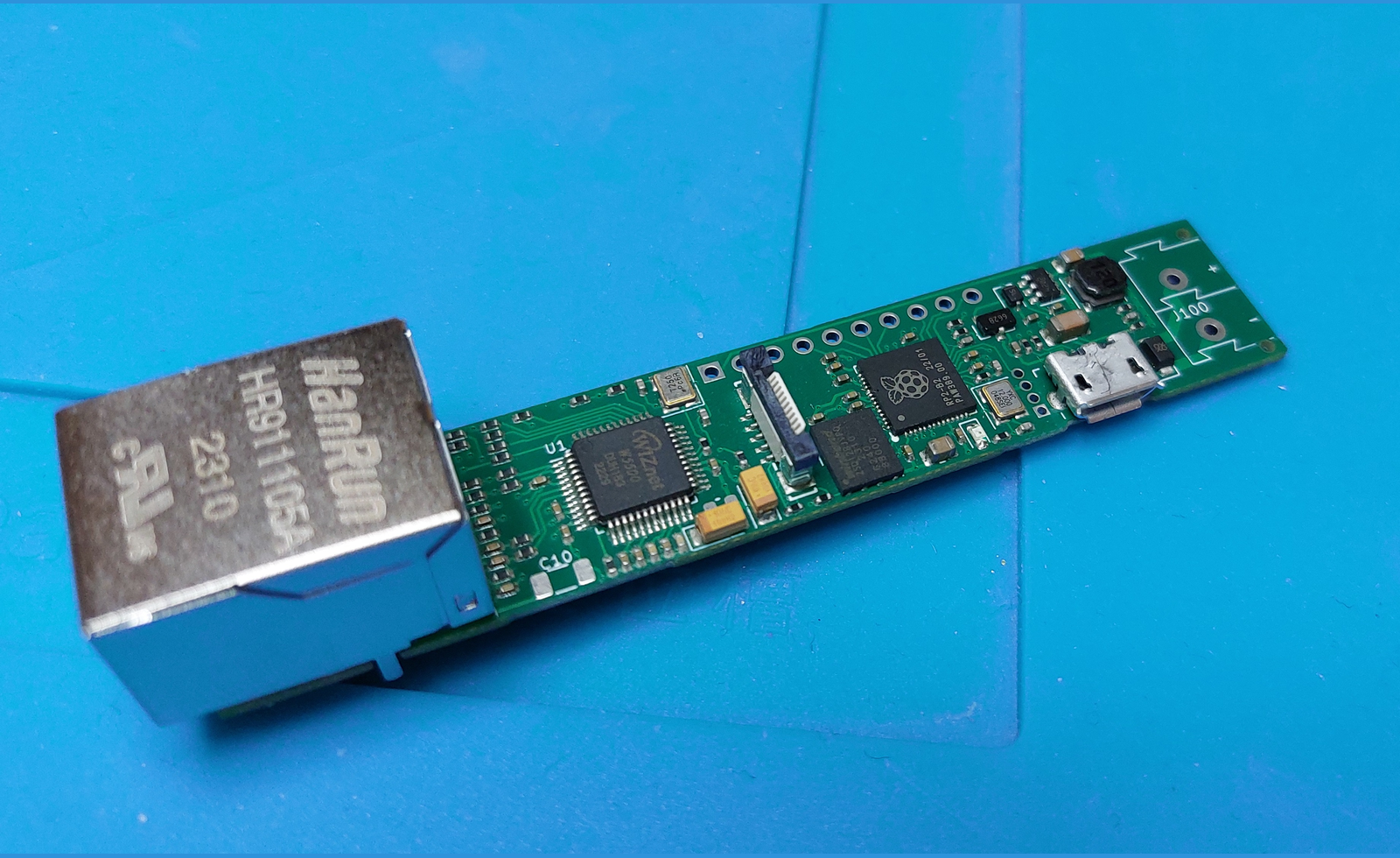
The RP2040 has no Ethernet MAC and no PHY, so on this platform the W5500 is what makes wired networking exist at all. It is designator U1 in REG1-App-Eth.kicad_sch, an LQFP-48 part whose KiCad symbol carries the manufacturer field WIZnet and links the W5500 datasheet directly. Around it sits the reference network any W5500 design needs: a 25 MHz crystal, four 49.9 ohm 1 % terminations into the HR911105A magnetics, a 12.4 kilohm 1 % resistor on EXRES1, a 1 nF 2 kV capacitor on the chassis side, and 330 ohm resistors feeding the link and activity LEDs that appear on the device front as the IP indicator.
What makes the board interesting is how little it needs from the controller. REG1 devices talk to their application PCBs through a ten pin connector, and REG1-App-Eth uses only seven signals: four for SPI, one interrupt, one reset, and one extra chip select for a microSD slot sharing the same bus. On a REG1-Controller2040 those land on RP2040 SPI1, with SCK on GPIO26, MOSI on GPIO27, MISO on GPIO28 and chip select on GPIO29, plus interrupt on GPIO17 and reset on GPIO18. The numbers printed on the schematic match the macros in the OGM-HardwareConfig firmware repository exactly, so the published hardware and the published firmware describe the same device.
The repository photographs are detailed enough to read the package marking, which makes the bill of materials easy to confirm against a real board.
Two Ways to Get the Same Chip Onto the Rail
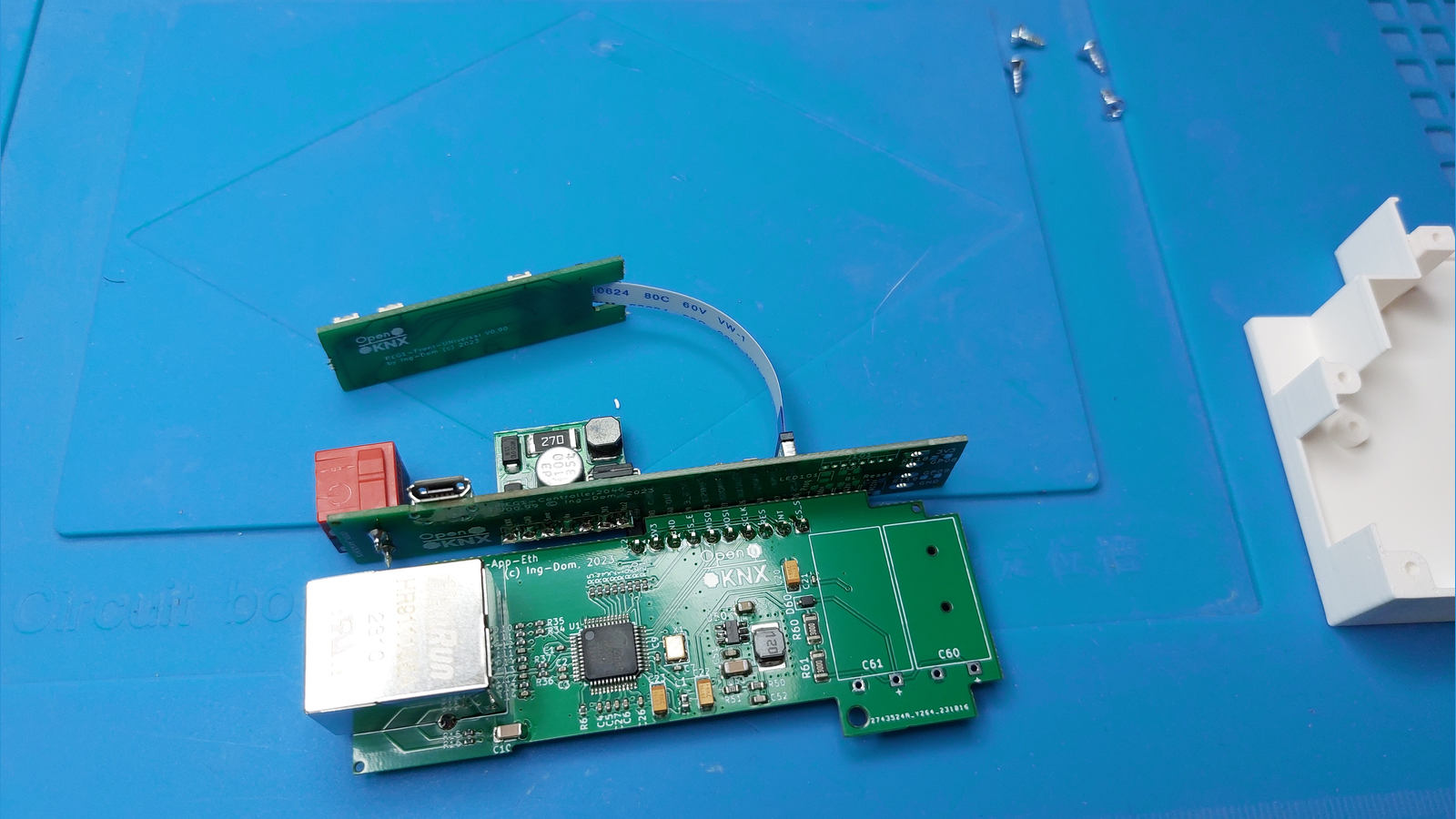
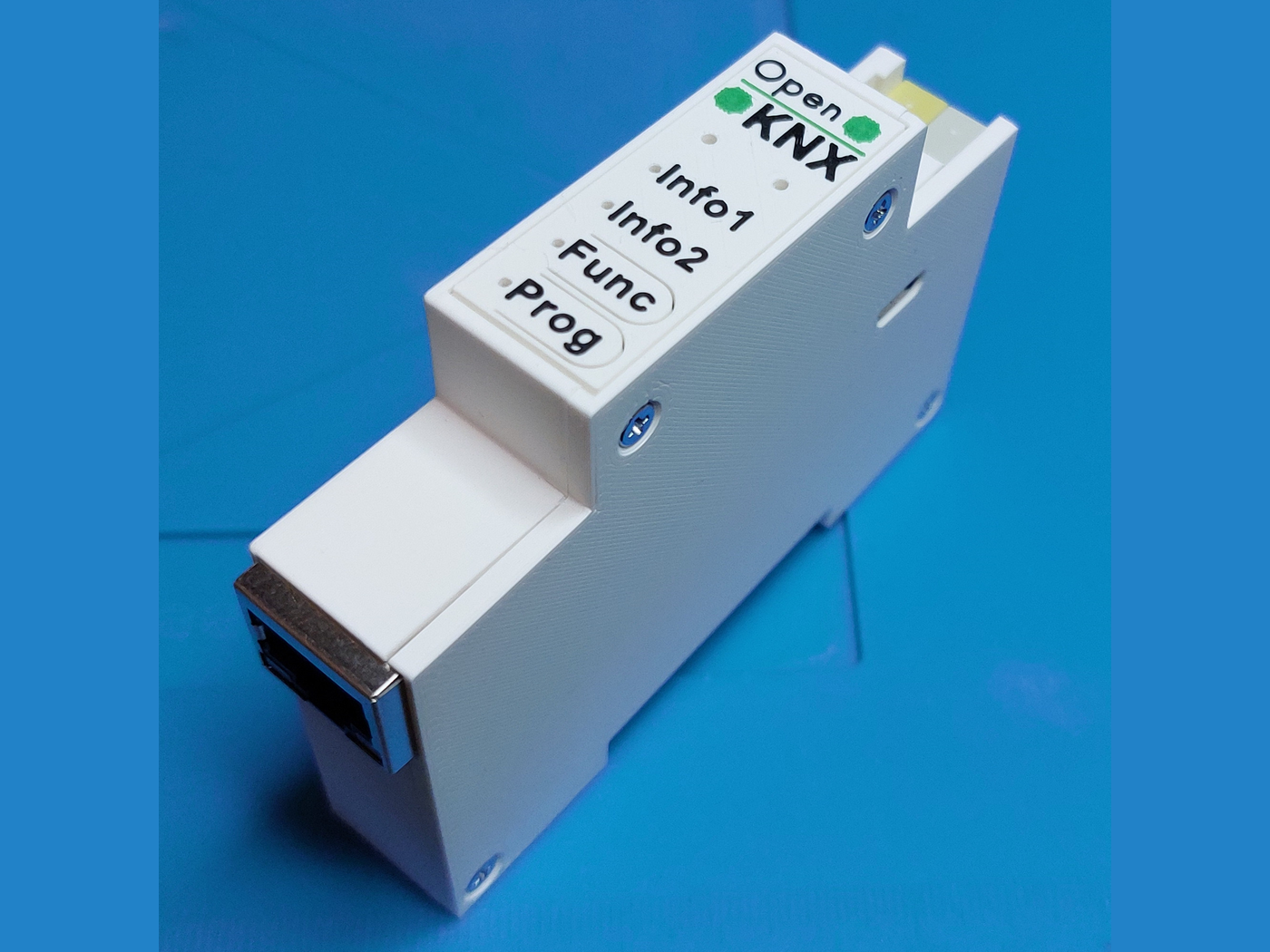
REG1 offers the W5500 in two arrangements, and they are alternatives rather than a stack. The modular route is the one already described: a REG1-Controller2040 keeps the twisted pair side through a NanoBCU, and REG1-App-Eth adds Ethernet on SPI1. That combination is the device OpenKNX calls REG1-Eth, or the REG1 LAN Gateway, listed as finished in its wiki entry and running entirely on KNX bus power.
The other is REG1-IpController2040, a controller PCB that puts the RP2040 and the W5500 on one board and leaves the KNX-TP coupler off. Here the W5500 hangs on SPI0, with SCK on GPIO2, MOSI on GPIO3, MISO on GPIO0 and chip select on GPIO1, plus interrupt on GPIO5 and reset on GPIO4. With no bus coupler to draw from, this variant is fed 9 to 24 V DC. It is the basis of REG1-Base-IP, an IP-only device aimed at applications with heavy data traffic such as the OpenKNX logic and presence modules.
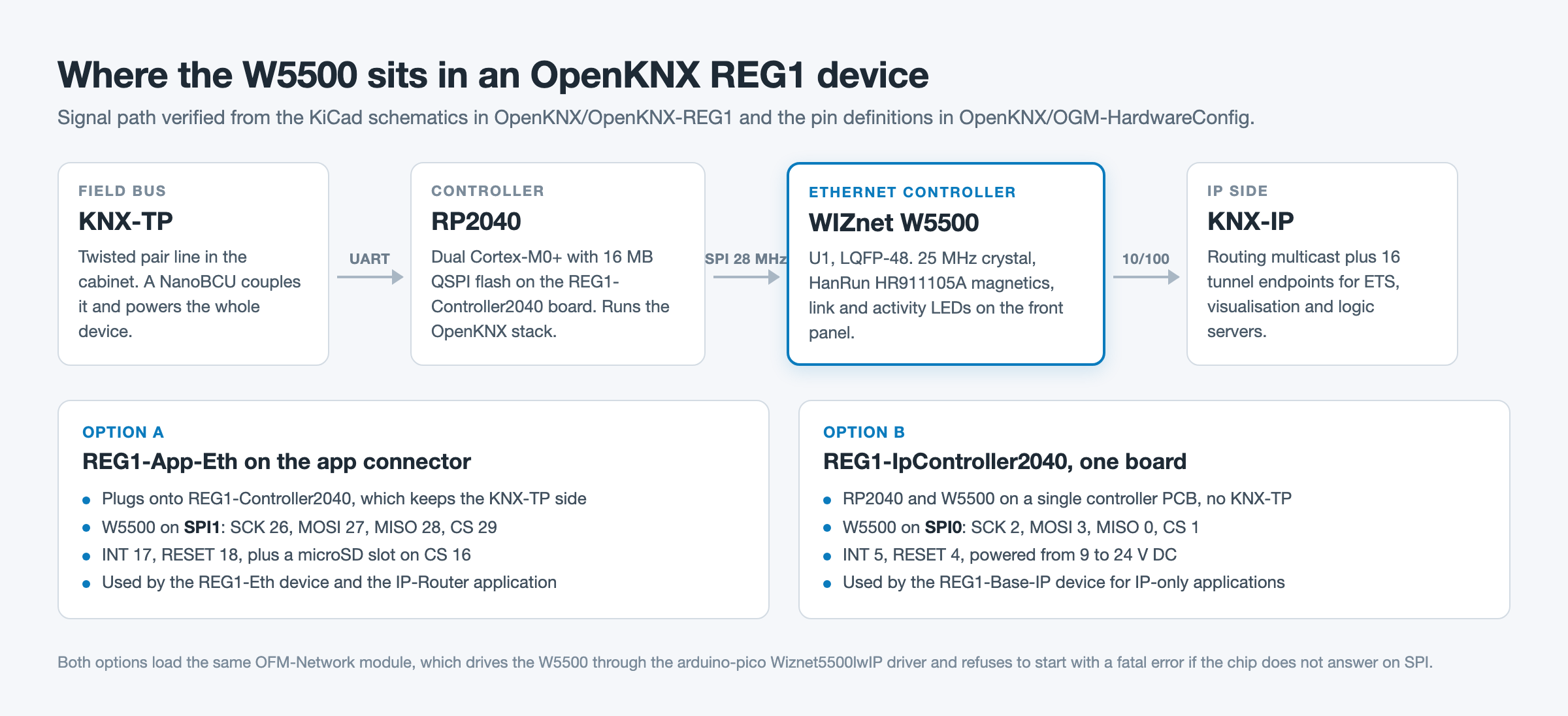
Both paths run the same firmware layer. OFM-Network, the shared OpenKNX network module, instantiates the interface as Wiznet5500lwIP KNX_NETIF(PIN_ETH_SS, ETH_SPI_INTERFACE, PIN_ETH_INT), sets the SPI clock to 28 MHz, and stops with a fatal error naming the W5500 if the chip does not answer. It drives the W5500 in MACRAW mode and lets lwIP handle TCP and UDP, so the hardware socket engine is not used here.
What the IP-Router Application Actually Delivers
The firmware that turns REG1-Eth into a router is OAM-IP-Router. Its build flags declare KNX mask version 091A and sixteen tunnel endpoints, and the official documentation describes it as a line or segment coupler with the usual filter settings plus a sixteen way tunnel server where each tunnel can be pinned to a physical address from the ETS topology view. Both interfaces stay live at once: the twisted pair side runs over UART0 through the bus coupling unit while the W5500 handles IP, and telegrams cross in both directions. The latest tagged release is 0.7.0 from March 2026.
The project documents its boundaries as clearly as its features. The IP-Router supports neither KNX Secure nor Data Secure, offers no bus monitor, accepts no TCP tunnels, cannot serve as a plain IP interface, and exposes no communication objects, which follows from the KNX specification for couplers. It also cannot host a second application beside the router, so a time server or logic module needs a second REG1 device.
OFM-Network keeps growing underneath all of this. Its 0.7.0 changelog, dated 14 August 2026, adds a built-in web server, a browser device console, a flash file manager, an MQTT client and broker, an HTTPS client and a live group monitor to the RP2040 build. On a REG1-Eth every one of those bytes travels through the W5500.
What Is Published and What Is Not
The hardware side is unusually complete. KiCad projects, PCB layouts, thirty three schematic PDFs, housing STL and 3MF files, assembly photographs and per device parts lists are all in the repository or the wiki under CC BY-NC-SA 4.0. The firmware lives in separate repositories under AGPL-3.0 and GPL-3.0.
Some things are not published, and they are worth naming. There are no throughput or latency measurements for the router, so this article makes no performance claim. No CE or KNX certification documents are shown, and OpenKNX describes the kits as a way to make the project accessible rather than as a certified commercial product. The shop at muster.ing-dom.de lists a REG1-Controller2040 board at 9,00 EUR, but as of 15 August 2026 it lists neither a standalone REG1-App-Eth board nor a complete REG1-Eth kit, so the price of a finished W5500 device is not something the sources state. Note also that the REG1 devices named LAN-Base and LAN-TP-Base are built on the ESP32 REG1-ControllerESP with a different Ethernet PHY, not on the W5500.
Related WIZnet Maker Projects
zweidraehte: A Rust KNX Device Stack with W5500-Based KNX/IP Firmware reaches the same destination from the opposite direction. Both put KNX/IP on a W5500, but zweidraehte writes the KNX stack itself in no_std Rust while OpenKNX builds on an existing C++ stack and spends its effort on the hardware platform.
How Does BREMA Make a KNX Stick Its Own MCP Server, and Where Does PoE W5500 Fit? covers the tooling side of the same domain. BREMA is commissioning firmware for a KNX interface stick, whereas REG1-Eth is the routing hardware such an installation runs on every day.
ESP32 Ethernet to KNX and DALI Gateway (Matter) is the commercial counterpart: a finished product with app support and remote access, next to a community platform where the schematic, the layout and the enclosure are all downloadable.
❓ FAQ
Q. Which WIZnet chip does the OpenKNX REG1 platform use, and where? The W5500, as designator U1 on two different boards: the REG1-App-Eth application PCB and the REG1-IpController2040 controller PCB. Both pair it with a 25 MHz crystal and a HanRun HR911105A magnetic RJ45 jack.
Q. How is the W5500 wired to the RP2040? With REG1-App-Eth on a REG1-Controller2040 it uses SPI1: SCK 26, MOSI 27, MISO 28, chip select 29, interrupt 17, reset 18. On REG1-IpController2040 it uses SPI0: SCK 2, MOSI 3, MISO 0, chip select 1, interrupt 5, reset 4.
Q. Does the REG1 LAN Gateway need external power? No. REG1-Eth runs entirely on KNX bus power through its NanoBCU, and the micro USB port is only for loading firmware. The IP-only REG1-Base-IP is different and takes 9 to 24 V DC.
Q. Can I build one myself from the repository? The hardware is published in full under CC BY-NC-SA 4.0, including KiCad sources, schematic PDFs and printable case files, and the wiki carries a parts list and assembly photos. Soldering the RJ45 jack, the pin headers and the bus coupler is left to the builder.
Q. What does the IP-Router firmware not do? It has no KNX Secure or Data Secure support, no bus monitor, no TCP tunnelling and no communication objects, it cannot act as a plain IP interface, and no second application can run beside it on the same device.
-
OpenKNX-REG1 hardware repository
KiCad projects, PCB layouts, schematic PDFs, housing STL files and assembly photographs for the whole REG1 family, under CC BY-NC-SA 4.0

-
REG1-App-Eth schematic V01.00
The W5500 sheet: SPI wiring through the REG1 app connector, 25 MHz crystal, HR911105A magnetics and the microSD slot
-
REG1-IpController2040 schematic V01.00
The single board variant with RP2040 and W5500 on the same PCB
-
REG1-Eth device page (REG1 LAN Gateway)
Component list and step by step assembly guide for the bus-powered KNX-TP to KNX-IP device
-
REG1-Base-IP device page
The IP-only device built on REG1-IpController2040, powered from 9 to 24 V DC
-
OpenKNX IP-Router application documentation
Official feature list and FAQ: line or segment coupler, sixteen tunnels, and the explicit list of unsupported features
-
OAM-IP-Router firmware
Router application source and PlatformIO build environments, including release_REG1_ETH. AGPL-3.0
-
OFM-Network module
Shared network layer that instantiates Wiznet5500lwIP on the RP2040 builds and sets the W5500 SPI clock to 28 MHz. GPL-3.0
-
OGM-HardwareConfig REG1 pin definitions
Header that maps the W5500 to SPI1 on the app connector and to SPI0 on REG1-IpController2040
-
OpenKNX IP-Router thread, KNX-User-Forum
German community thread running since December 2023, where the maker explains the design and users report field experience
-
REG1 components at muster.ing-dom.de
Shop listing the REG1 controller and front boards. Prices in EUR
-
WIZnet W5500
Datasheet and documentation for the Ethernet controller used on both REG1 boards


