


STM32F401 W5500 UDP Gateway with Web Control
STM32F401 and W5500 demo with a web UI and UDP gateway over wired Ethernet.
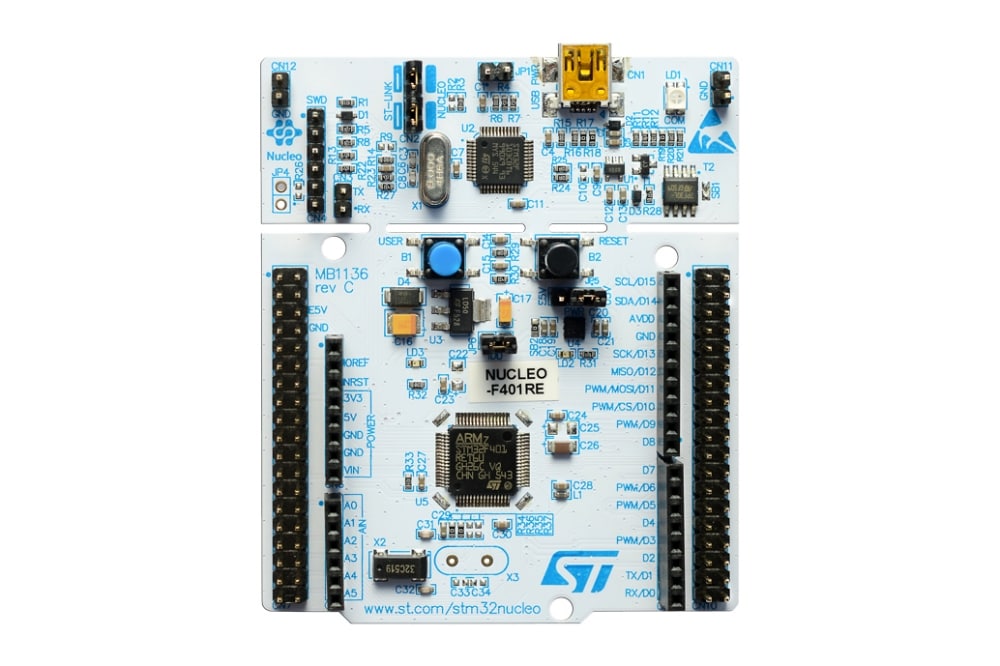
STMicroelectronics - STM32F411RE
x 1


WIZnet - W5500
x 1
STM32F401 Ethernet Gateway with W5500 Sockets
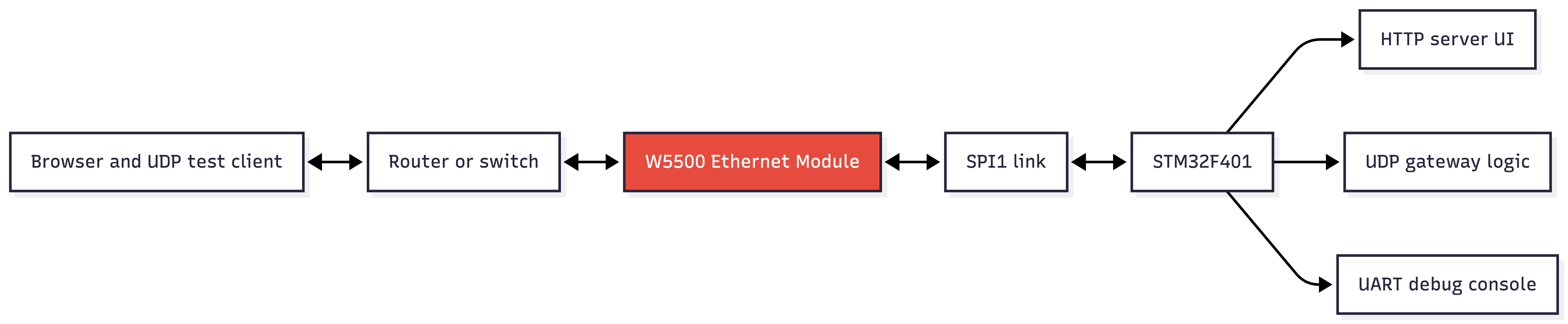
This project is a wired Ethernet IoT gateway demo for the STM32F401 microcontroller using the WIZnet W5500 Ethernet controller. It brings up the W5500 over SPI, obtains an IP address through DHCP, serves a small HTTP interface, and relays UDP messages through the W5500 socket API. The technically interesting point is that the STM32F401 does not run a software TCP/IP stack for the main network path. The W5500 handles the TCP and UDP socket engine, while the MCU focuses on SPI control, the web UI logic, and the UDP message gateway.
The application is presented as a tutorial for connecting an STM32F401 development board to a W5500 Ethernet module. The README covers the wiring, CubeIDE setup, SPI and UART configuration, and basic testing. The firmware goes further than a simple link check. It initializes W5500 networking, starts an embedded HTTP server, opens a UDP socket on port 5000, and exposes browser endpoints for viewing received UDP messages and sending responses back to the most recent remote endpoint.
System Structure
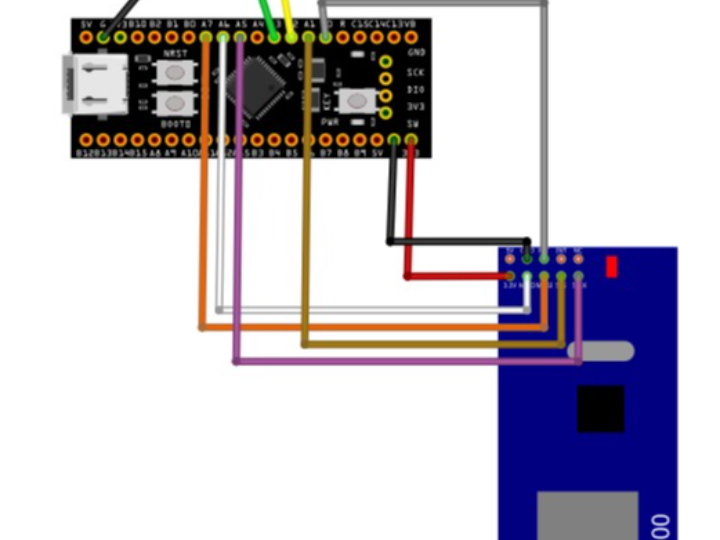
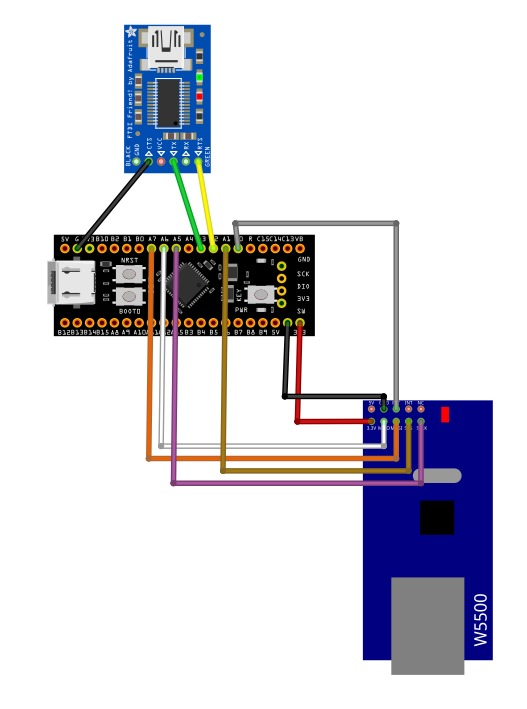
The hardware connection is straightforward. The CubeMX .ioc file assigns SPI1 to PA5, PA6, and PA7, with PA1 as W5500 chip select and PA0 as W5500 reset. USART2 on PA2 and PA3 is used for debug output. The .ioc file calculates SPI1 at 42.0 Mbits/s, while the README emphasizes 3.3 V power for the W5500 module and short wiring for signal integrity.
W5500 Initialization and DHCP
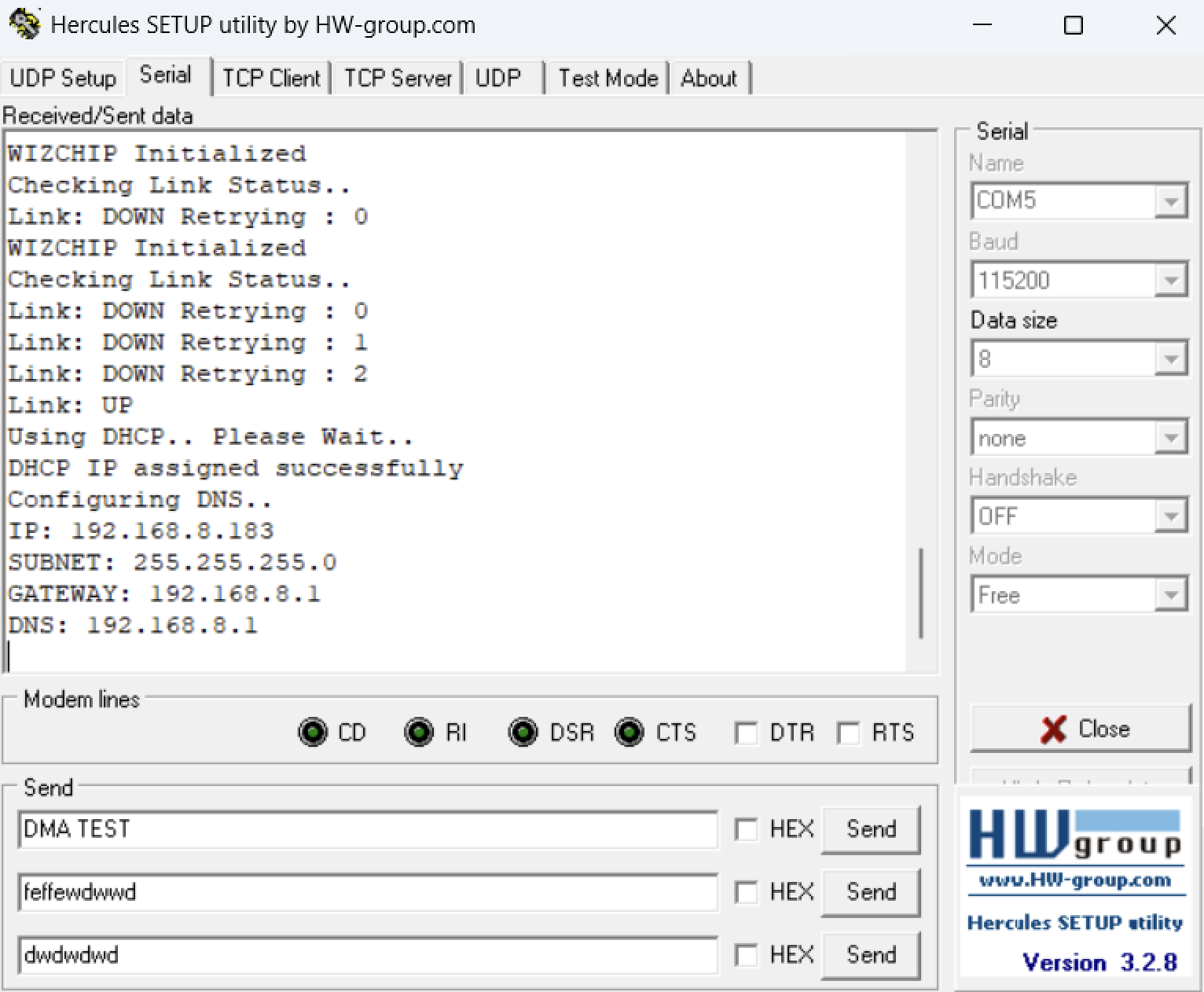
The W5500 porting layer is in Drivers/Ethernet_W550/wizchip_port.c. It registers chip select and SPI byte callbacks, resets the module, initializes WIZCHIP memory allocation, reads the W5500 version register, checks PHY link state, and then configures network settings. With USE_DHCP enabled, socket 7 is used for DHCP and socket 6 is reserved for DNS. If DHCP assignment fails, the code falls back to a static configuration stored in wiz_NetInfo.
This is a clear TOE case. The repository sets _WIZCHIP_ to W5500, uses WIZnet chip control calls such as ctlwizchip, and then uses the WIZnet socket API for application traffic. The HTTP server path opens TCP sockets, while the custom gateway path opens a UDP socket.
UDP Gateway and Browser Control
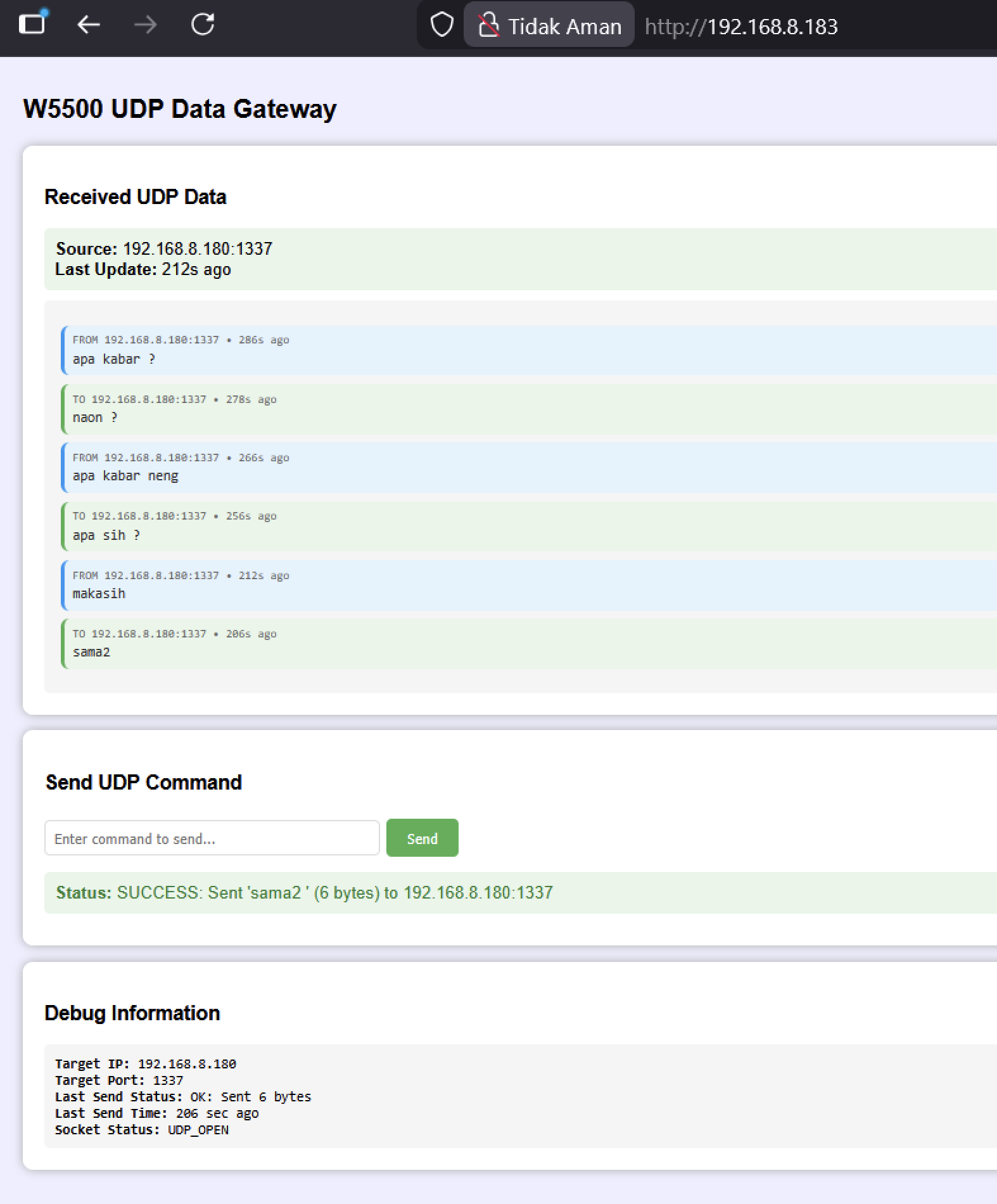
The gateway logic lives in Drivers/Ethernet_W550/http_server_example.c. It uses two sockets for the HTTP server and socket 2 for UDP on port 5000. Incoming UDP packets are stored in a circular message history. The browser UI polls CGI endpoints such as udp_data.cgi, udp_messages.cgi, and udp_debug.cgi, then posts commands to udp_send.cgi when the user sends a response.
The key UDP path is short and readable:
uint8_t ret = socket(UDP_SOCKET, Sn_MR_UDP, UDP_PORT, 0);

switch(getSn_SR(UDP_SOCKET))
{
    case SOCK_UDP:
        len = getSn_RX_RSR(UDP_SOCKET);
        if(len > 0)
        {
            udp_data_len = recvfrom(UDP_SOCKET, udp_rx_buffer,
                                    len, remote_ip, &remote_port);
        }
        break;
}
For outbound messages, the POST handler decodes the cmd= form data and calls sendto(UDP_SOCKET, ...) using the last remote IP address and port. This makes the web page a small manual control panel for a UDP data channel. It is useful as a learning project because users can see the relationship between incoming datagrams, socket state, and browser-visible status without adding a large framework.
HTTP Server over W5500 TCP Sockets
The HTTP side uses the bundled WIZnet HTTP server code under Drivers/Ethernet_W550/httpServer/. The server reinitializes TCP sockets with socket(s, Sn_MR_TCP, HTTP_SERVER_PORT, 0x00), listens for connections, receives requests, and sends responses through WIZnet socket calls. In the application wrapper, httpServer_setup() registers index.html as an in-memory page, while httpServerRun() iterates across the configured HTTP sockets in the main loop.
This approach is appropriate for a small embedded web interface. The HTML, CSS, and JavaScript are compiled directly into firmware as a string. That keeps deployment simple, although it also means the web UI is best treated as a compact control and debug page rather than a full web application.
Practical Value and Limits
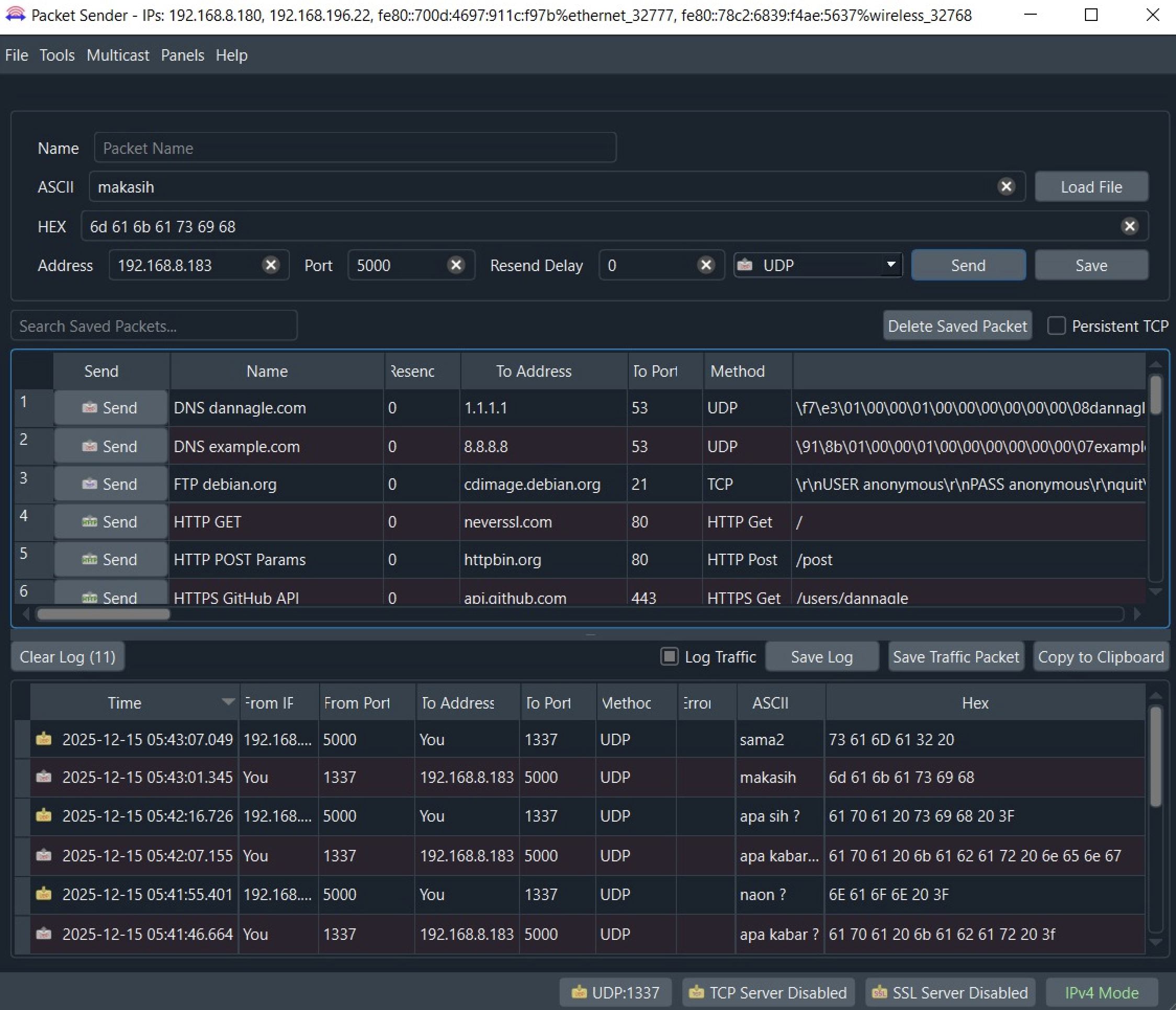
For makers working with STM32F401 and W5500, this repository is valuable because it shows the whole path from CubeMX pin setup to socket-level application behavior. The test notes include DHCP screenshots, a browser view of the gateway, and Packet Sender usage for UDP traffic. The public materials show a working firmware-oriented example, not only a wiring guide.
There are also limits worth noting. The repository does not include a root license file, so the project license is marked as N/A. It includes WIZnet and ST driver files with their own license notices, but the overall repository license is not stated. The generated Debug makefile contains a Windows-specific absolute linker script path, so users on another machine may need to regenerate or repair the STM32CubeIDE project settings before building. The web interface is a local demo without authentication, so it should not be exposed to untrusted networks without additional security work.
FAQ
What does this project use the W5500 for?
It uses the W5500 as the wired Ethernet controller and hardware TCP/IP socket engine. The firmware initializes the W5500 over SPI, obtains network settings with DHCP, serves HTTP traffic over TCP sockets, and sends or receives UDP datagrams.
Does this project use WIZnet TOE?
Yes. The code uses WIZnet socket APIs such as socket, recvfrom, sendto, listen, recv, and send with W5500 socket modes including Sn_MR_UDP and Sn_MR_TCP. That means TCP and UDP socket handling is performed through the W5500 hardware TCP/IP engine.
How does the UDP gateway work?
The firmware opens a UDP socket on port 5000 and stores received messages with source IP, source port, timestamp, and direction. A browser page reads this state through CGI endpoints and can send a command back to the latest remote endpoint.
What firmware or library does it depend on?
The project uses STM32 HAL and CMSIS for the STM32F401 platform, plus WIZnet ioLibrary-style W5500, socket, DHCP, DNS, and HTTP server code under Drivers/Ethernet_W550/.
Can this be reused for another STM32 board?
Yes, with porting work. The main tasks are updating the CubeMX pin configuration, matching SPI and GPIO handles, and ensuring the W5500 CS and reset callbacks in wizchip_port.c point to the correct board pins.


