



Rover Power Control — W5500 EVB Pico
UDP-based relay controller for METU ROVER — Raspberry Pi Pico + WIZnet W5500
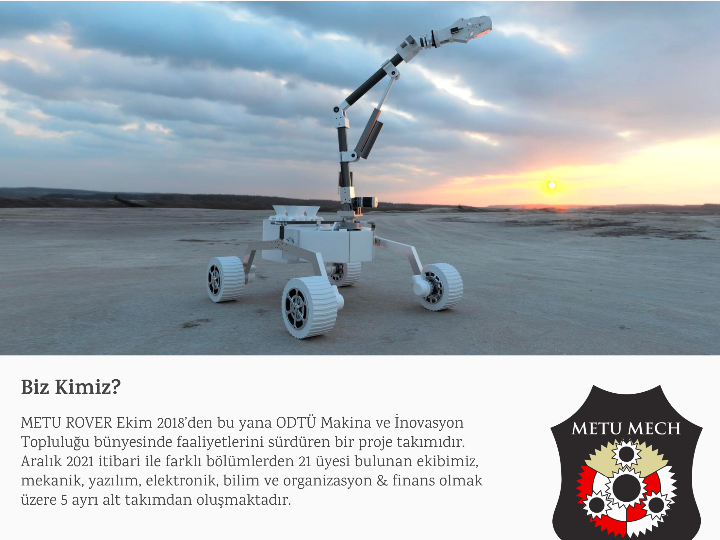
Over the past year I've been working on a large-scale autonomous rover project as part of a team. The full system — central navigation, sensor fusion, communication stack, everything — lives in a private team repository that I can't share publicly. This is one module from that system. I extracted it, cleaned it up, and put it here as a standalone piece because it represents a real engineering problem I had to think through and solve, not just code I wrote following a spec.
UDP-based relay controller for a university rover. Runs on Raspberry Pi Pico with a WIZnet W5500 Ethernet module, receives JSON commands over the network, and switches power to rover subsystems via relays.
Built as part of the embedded software stack for METU ROVER during university rover competitions.
The board sits between the rover's onboard computer and its power distribution system. A ground station (or any UDP client) sends JSON commands to 10.42.0.50:5050, and the Pico toggles the corresponding relay.
Two relay modes are implemented:
- Normal relay — stays HIGH or LOW until told otherwise (robot arm, science system, wheels)
- Pulse relay — sends a 100ms pulse on state change, used for latching relays that hold their state without continuous power (main power bus, bulk power)
The wheel subsystem also supports a restart sequence: cuts power, waits 1 second, restores power — useful for recovering motor drivers after a fault.
| Component | Detail |
|---|---|
| MCU | Raspberry Pi Pico (RP2040) |
| Ethernet | WIZnet W5500 EVB Pico |
| Relays | 6x (robot arm, science, 4x wheels, all power, bulk power) |
| Clock | 133 MHz |
| Subsystem | GPIO | Relay Type |
|---|---|---|
| Bulk Power | 3 | Pulse |
| All Power | 4 | Pulse |
| Wheel Front Left | 5 | Normal |
| Wheel Front Right | 6 | Normal |
| Science System | 7 | Normal |
| Robot Arm | 8 | Normal |
| Wheel Rear Left | 10 | Normal |
| Wheel Rear Right | 11 | Normal |
Send a JSON string over UDP to port 5050:
{"robot_arm": 1, "science_system": 0, "wheels": 1, "all_power": 1, "bulk_power": 0}To trigger a wheel restart:
{"wheels_restart": 1}The board responds with current relay states and a timestamp:
{"counter": 42, "robot_arm": 1, "science_system": 0, "wheels": 1, "all_power": 1, "bulk_power": 0, "timestamp": 1234567}This project is part of the WIZnet Pico C SDK examples. Clone that repo and drop this into examples/relay_control/, then build normally:
mkdir build && cd build
cmake .. -DBOARD_NAME=W5500_EVB_PICO
make relay_control
Flash the .uf2 to the board by holding BOOTSEL while plugging in.
The JSON parser uses strstr — lightweight and sufficient for this use case on a constrained microcontroller. No dynamic allocation anywhere in the codebase.