Flipper Zero as a 30-Tool LAN Swiss Knife — Full Source W5500 Network Analyzer
Pocket LAN tester with 30+ protocol tools (ARP/DHCP/LLDP/SNMP/PXE/802.1X) on Flipper Zero + W5500, MACRAW & TOE dual-socket architecture
COMPONENTSHardware components
WIZnet - W5500
x 1
Software Apps and online services
WIZnet - WIZnet io Library
x 1
PROJECT DESCRIPTION
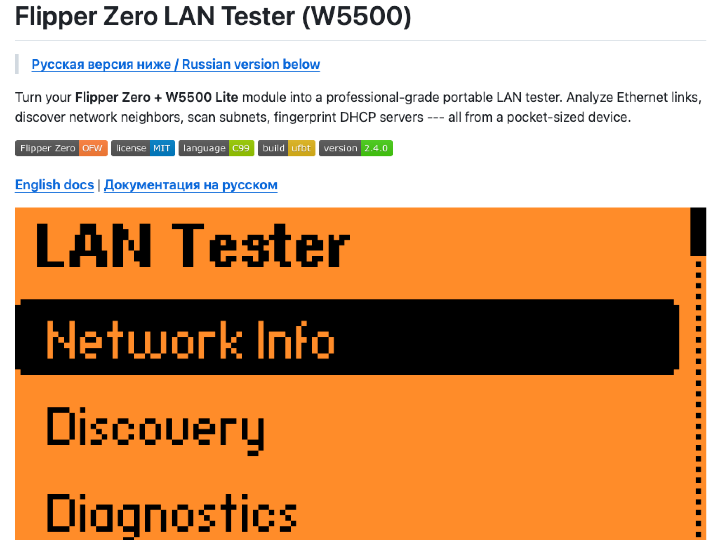
From 3 Tools to 30+: Turning Flipper Zero into a Full LAN Analyzer with W5500
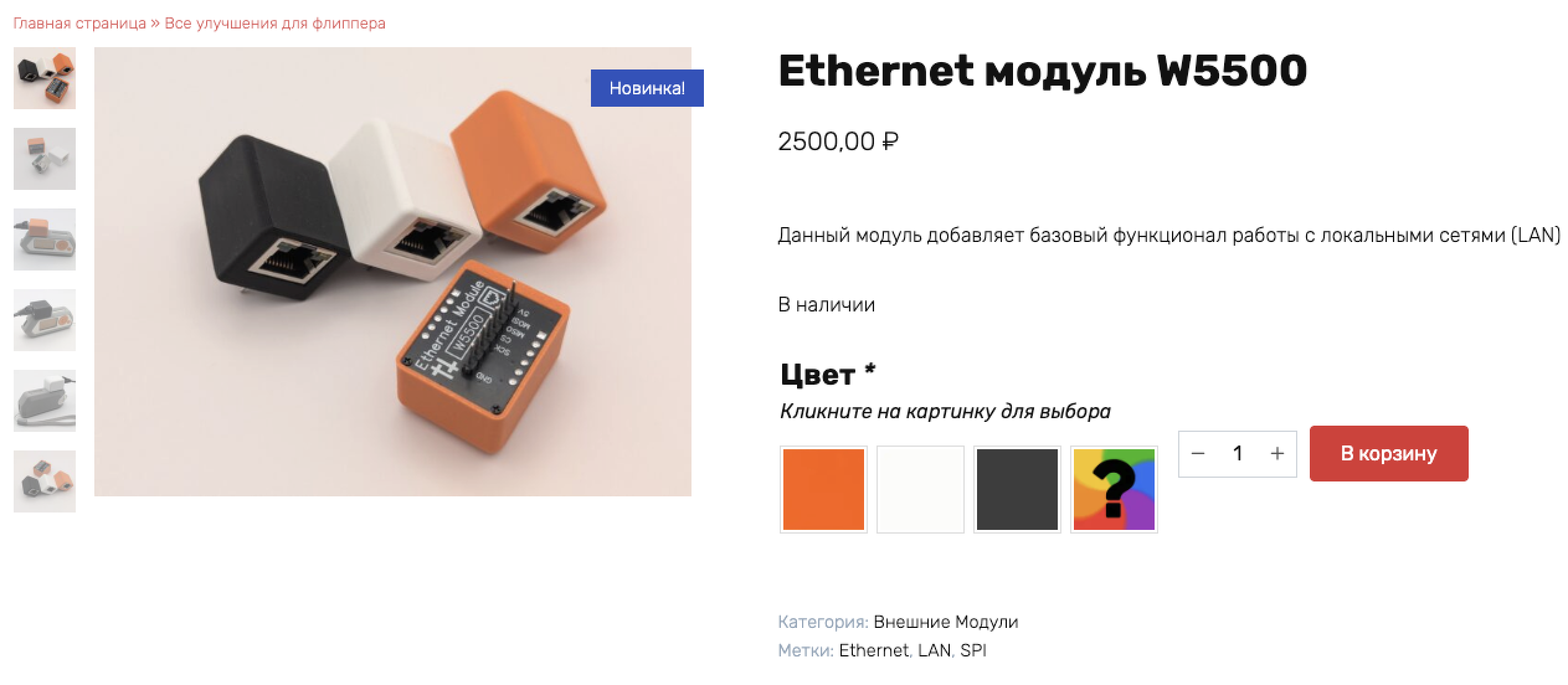
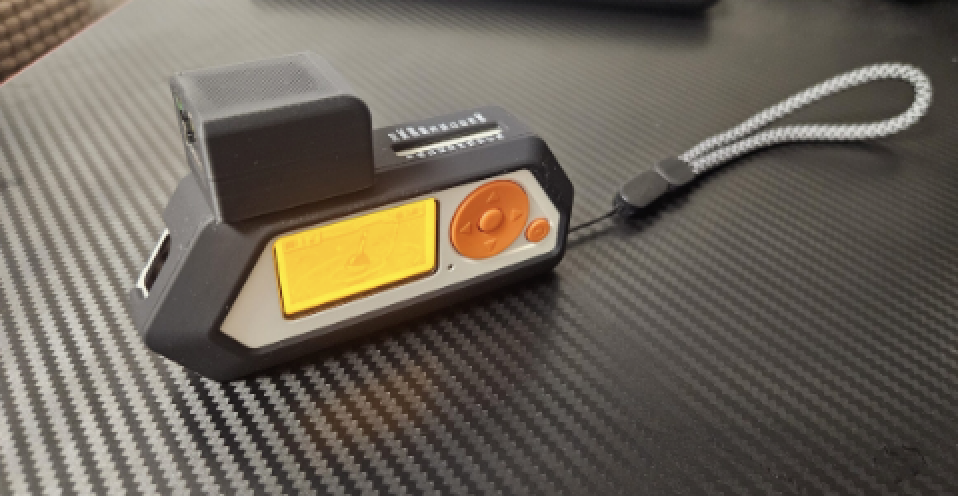
Flipper Zero is a popular pocket-sized multi-tool in the security and maker community, known for its NFC, RFID, and Sub-GHz capabilities. By connecting a W5500 Ethernet module via SPI, it gains wired Ethernet access — and this project takes that concept to an entirely new level.
Developer dok2d forked the original fz-eth-troubleshooter (which offered basic DHCP and ping functionality) and expanded it into a comprehensive LAN testing suite with over 30 network tools — all implemented in C, all fully open-source. The entire codebase spans 78 source files and approximately 18,000 lines of code.
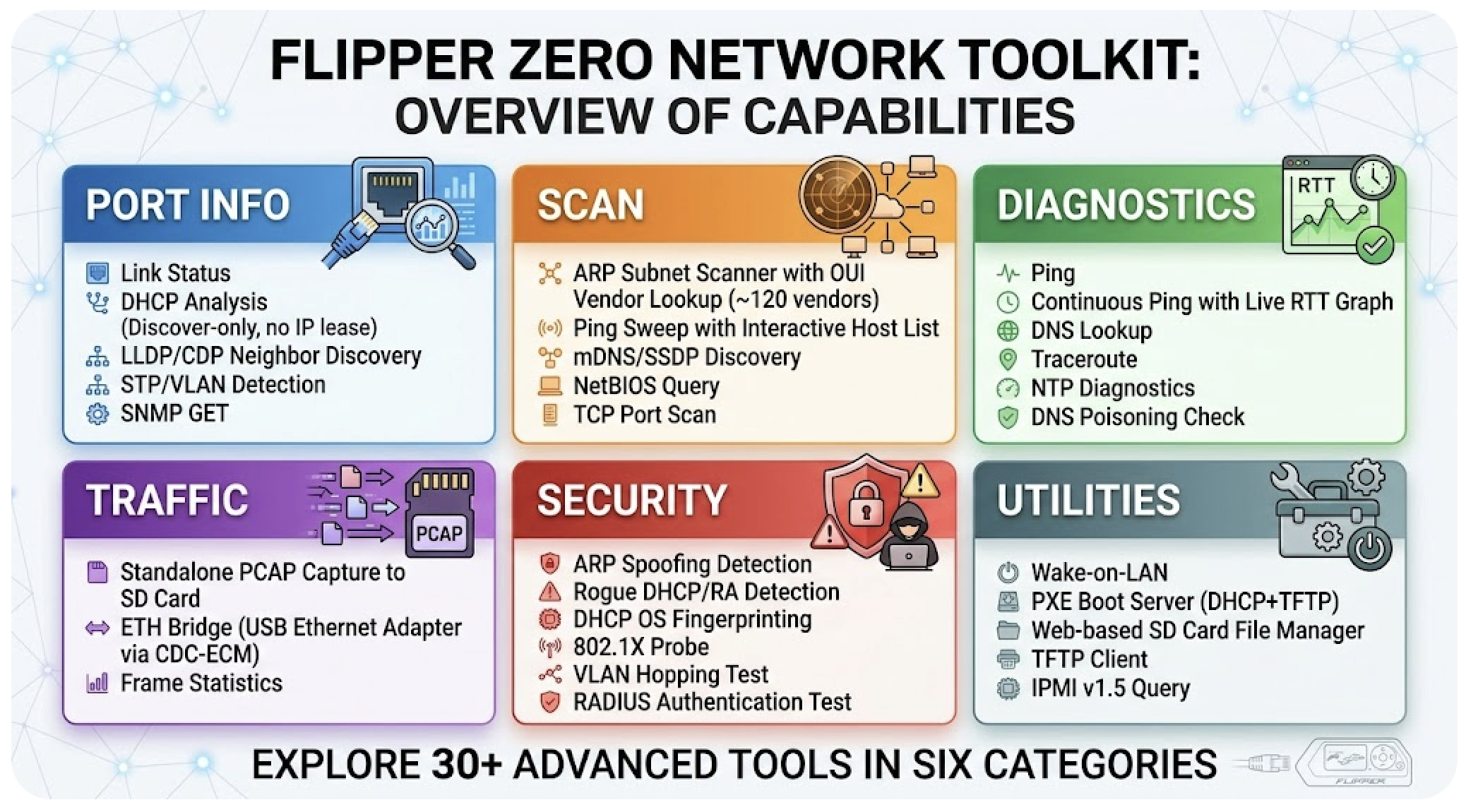
Port Info — Link status, DHCP analysis (discover-only, no IP lease taken), LLDP/CDP neighbor discovery, STP/VLAN detection, SNMP GET.
Scan — ARP subnet scanner with OUI vendor lookup (~120 vendors), Ping Sweep with interactive host list, mDNS/SSDP discovery, NetBIOS query, TCP port scan.
Diagnostics — Ping, Continuous Ping with live RTT graph, DNS Lookup, Traceroute, NTP diagnostics, DNS poisoning check.
Traffic — Standalone PCAP capture to SD card, ETH Bridge (Flipper becomes a USB Ethernet adapter via CDC-ECM with optional traffic dump), frame statistics.
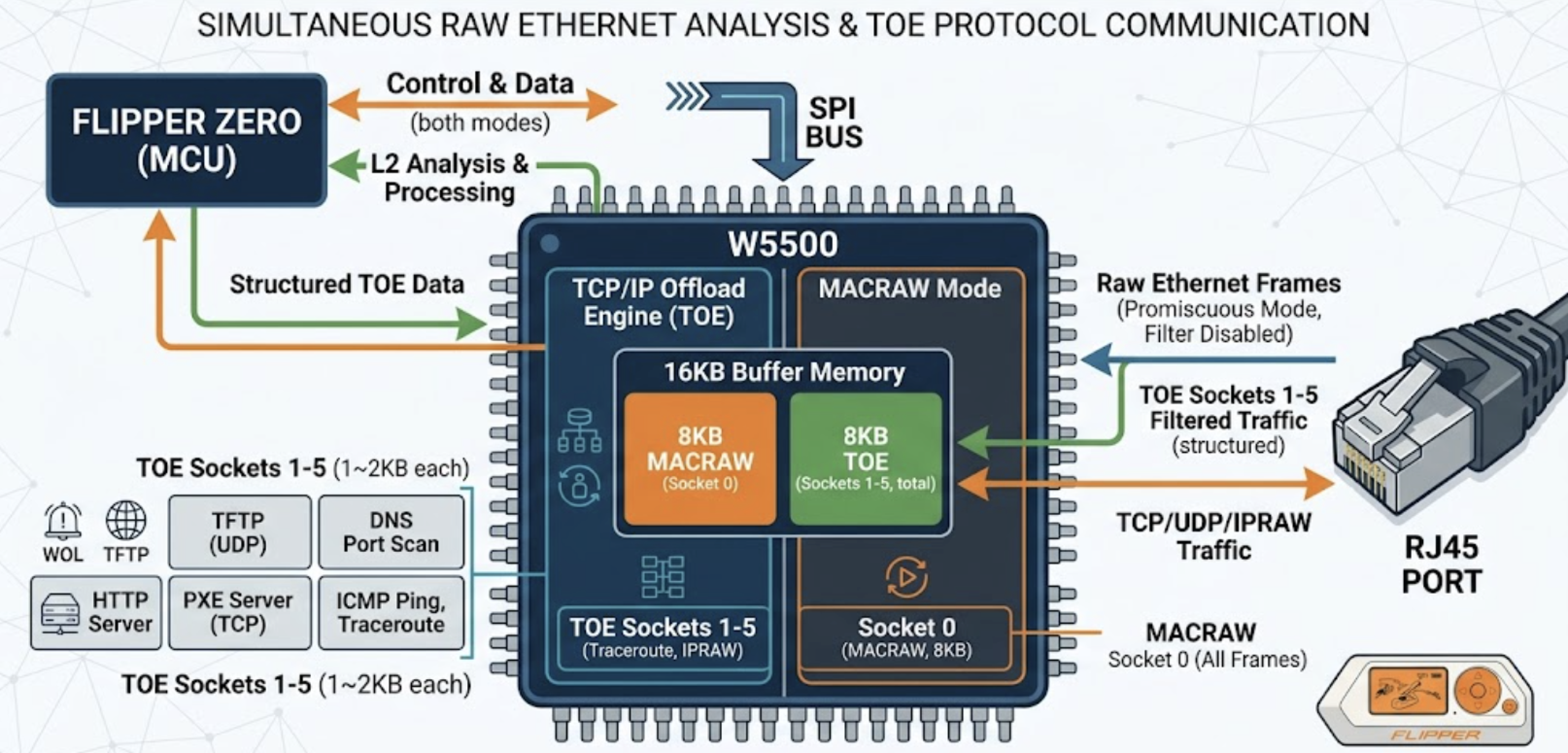
The most technically interesting aspect of this project is its dual-mode socket architecture.
Socket 0 operates in MACRAW mode with MAC filtering disabled (promiscuous). This means it receives all raw Ethernet frames on the wire — enabling passive L2 analysis like LLDP/CDP parsing, STP BPDU detection, ARP spoof monitoring, and the ETH Bridge frame-forwarding engine.
Sockets 1–5 use the W5500's hardware TCP/UDP/IPRAW modes — its TCP/IP Offload Engine (TOE). Port scanning uses TCP connect() with hardware-managed state machines. The HTTP file manager and PXE download run as TCP servers/clients. SNMP, NTP, RADIUS, TFTP, and WOL all use UDP sockets. ICMP ping and traceroute use IPRAW.
This means a single W5500 chip simultaneously provides raw Ethernet analysis and structured TCP/IP communication within one application — a practical demonstration of the chip's versatility that is rarely seen in maker projects.
Generated by Gemini
AI-Assisted Embedded Development
The commit history reveals an unusual development pattern: out of 225 total commits, 193 are attributed to Claude (Anthropic's AI), while developer dok2d contributed 31 commits focused on architecture decisions, code review, and PR merges.
The repository includes a CLAUDE.md file that serves as a coding rulebook for the AI — specifying constraints like "4KB stack limit, no arrays over 128 bytes on stack," "always check malloc for NULL," and "never share frame_buf with DHCP_init()." The developer defined the architectural boundaries and embedded-specific constraints; the AI wrote protocol implementations within those rules.
The result: the project went from v1.0 to v2.4.0 in approximately three days (March 31 – April 2, 2026), adding features like PXE boot, SNMP, RADIUS, IPMI, and a full security analysis category in rapid succession.
The project has GitHub Actions CI configured with two workflows. The CI pipeline runs Flipper's official ufbt build tool and linter on every pull request — warnings are treated as errors. The release workflow automatically builds .fap binaries and publishes them as GitHub Releases. Five release versions (v1.1.0 through v2.4.0) have been published.
Bug-fix commits in the history — such as fixing out-of-memory crashes when browsing directories, correcting socket buffer sizes to powers of 2, and resolving SNMP stack overflows — suggest real-device testing was performed during development.
Limitations
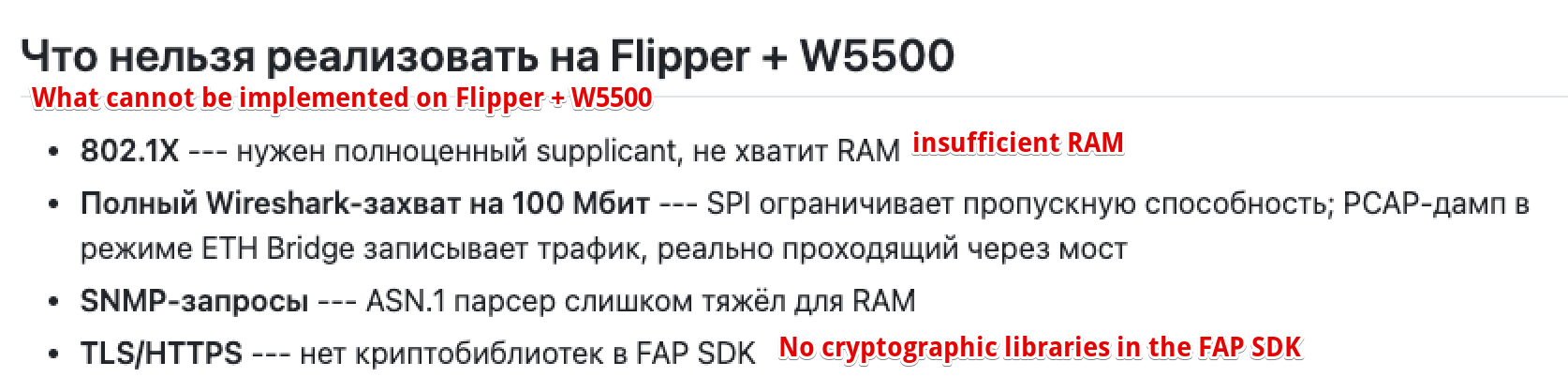
The project is transparent about its constraints. SPI communication limits actual throughput well below 100 Mbps wire speed. The Flipper Zero FAP SDK lacks cryptographic libraries, so all HTTP communication (File Manager, PXE Download) runs over plaintext. The 802.1X probe can detect port authentication but cannot complete the full supplicant handshake due to RAM limitations. The README includes an explicit "what cannot be done" section.
The repository is less than a week old (created March 31, 2026) with 3 stars, so community adoption and real-world feedback are still minimal.
FAQ
Q: How does this differ from the original fz-eth-troubleshooter? A: The original provided basic DHCP, ping, and link info — roughly 3 tools. This fork expands to 30+ tools including security analysis, infrastructure services (PXE, TFTP, IPMI), and advanced diagnostics (SNMP, NTP, DNS Poison Check). The codebase grew from a few hundred lines to ~18,000.
Q: Does this project use the W5500's TOE? A: Yes, partially. Socket 0 uses MACRAW for raw L2 access, while Sockets 1–5 use hardware TCP, UDP, and IPRAW (TOE) for structured protocol communication.
Q: Is the DHCP Analyzer safe on production networks? A: Yes. It sends Discover and parses the Offer but never sends a Request — no IP lease is taken.
Q: Can the ETH Bridge achieve full 100 Mbps? A: No. SPI bandwidth is the bottleneck. It works well for casual diagnostics and light traffic inspection.
Q: What role did AI play in development? A: The developer provided architecture design, constraints, and code review. Claude wrote the protocol implementation code. The CLAUDE.md file served as a coding rulebook specifying memory limits and embedded programming rules for the AI to follow.