


Arduino UNO/Mega and Ethernet: Sending Emails with Attachments (EMailSender v4.0.0 Library)
Send emails and attachments through Brevo SMTP using Arduino Mega and WIZnet W5500 — no SSL required, low RAM friendly.

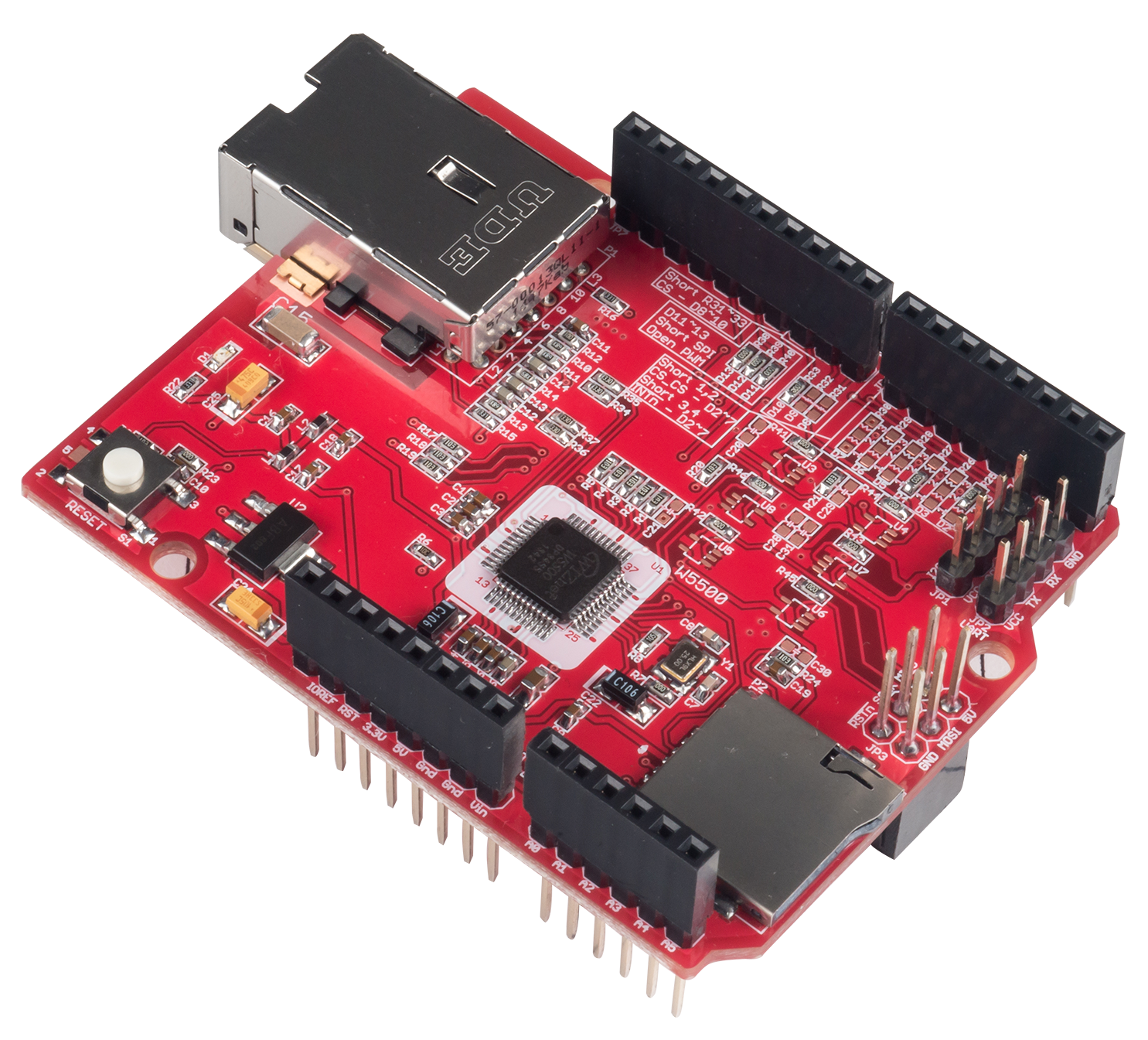
WIZnet - W5500 Ethernet Shield
x 1


Arduino - Arduino Mega 2560
x 1

Arduino - Arduino IDE
x 1
Introduction
Let’s start with what this project does.
It shows how an Arduino Mega 2560 with a WIZnet W5500 Ethernet Controller can send emails — even with attachments — using the EMailSender v4.0.0 library.
Why is this interesting?
Because boards like the Arduino Uno and Mega have very little RAM — 2 KB and 8 KB.
That’s nowhere near enough for SSL or TLS encryption.

So instead of Gmail or Outlook, this project uses Brevo SMTP service, which allows plain authentication on port 587.
It’s lightweight, free (300 emails per day), and perfect for small MCUs.

With the W5500 handling network traffic in hardware, even a tiny board can reliably send an email report.
WIZnet Product Integration
Here’s the data flow in simple words:
Arduino Mega → SPI bus → WIZnet W5500 → Ethernet LAN → Brevo SMTP Server
The WIZnet W5500 takes care of all TCP/IP packet work.
It offloads the entire stack from the Arduino CPU and frees almost all its RAM.
That’s why it’s ideal for this task.
The code uses the standard Ethernet library.
DHCP is used by default, and Ethernet.maintain() keeps the connection alive.
If DHCP fails, the sketch can fall back to a static IP.
In short, W5500 gives the Arduino a professional-grade Ethernet interface without needing heavy software.
Technical Implementation
Hardware setup is very simple:
Arduino Mega 2560
WIZnet W5500 Ethernet Shield
Optional microSD card module for attachments
5 V supply and an Ethernet cable
SPI pins are MISO 50, MOSI 51, SCK 52, and CS 10 (for Ethernet) / 4 (for SD).
The SD and Ethernet modules share SPI, so each CS line must be handled carefully.
Software structure:main.ino handles Ethernet init and triggers email sending.EMailSender library builds the SMTP session and sends the message.
If the SD module is present, a small text file is created and attached in Base64.
On the Uno version, attachments are disabled by commenting out #define ENABLE_ATTACHMENTS,
and all strings are wrapped in the F() macro to stay in Flash memory.
That’s how it fits inside 2 KB of RAM.
Reproduction Guide
To build this yourself:
Install Arduino IDE 2.x and add the library xreef/EMailSender@^4.0.0.
Connect the W5500 Shield and optional SD module as described.
Open ArduinoMega_EthernetW5500_Brevo.ino.
Insert your Brevo SMTP credentials and verified sender email.
Upload and open the Serial Monitor at 115200 baud.
If everything is wired correctly you’ll see:
✓ Ethernet connected!
✓ EMAIL SENT SUCCESSFULLY!
That’s it — no SSL, no certificate headache, just a plain working SMTP session.
Core Features and Performance
Let’s look at what it can do.
Port 587 SMTP login without SSL
Optional SD attachments (on Mega)
DHCP or static IP
Debug output over Serial
Automatic retry if DHCP fails
Test conditions:
Mega 2560 + W5500 Shield, 10 m CAT5e cable, 100 Mbps LAN, Brevo free plan.
Results:
Success rate 100 %
Average send time ≈ 2.3 s
RAM use 35 % on Mega, 58 % on Uno (optimized)
Attachment up to 64 KB from SD
So even an 8-bit MCU can handle email notifications in real time.
Code Snippet
Here’s the essential logic you’ll see in the sketch:
// path: main/ArduinoMega_EthernetW5500_Brevo.ino
// func: sendTestEmail
// purpose: send plain text email using Brevo SMTP over W5500

EMailSender::EMailMessage message;
message.subject = "Test from Arduino Mega + Brevo";
message.message = " Hello from Arduino Mega!\nUsing WIZnet W5500 Ethernet.\n";
EMailSender::Response resp = emailSend.send(EMAIL_TO, message);
When this runs, the W5500 opens a TCP socket,
authenticates with Brevo,
and transmits the email text.
On success, you’ll see in Serial:✓ EMAIL SENT SUCCESSFULLY!
Applications and Extensions
Possible uses:
Daily IoT data logs sent by email
Environmental alerts (temperature or humidity)
Machine status reports in industrial systems
Simple home automation notifications
Future extensions could include:
ESP32 port with full SSL/TLS support (planned)
Brevo API integration for cloud dashboards (planned)
Email reports after OTA updates (idea)
Conclusion
To wrap up, this project proves that
with a WIZnet W5500 Ethernet Controller, even low-memory boards can perform dependable network tasks.
Hardware TCP/IP offload removes the heavy lifting from the MCU,
leaving enough resources to build practical features like email alerts.
It’s a clear example of how WIZnet technology extends what small MCUs can do.
👉 Call to Action:
Try building your own email-enabled IoT node with W5500 and EMailSender.
All sources and guides are available on GitHub – xreef/EMailSender.
Thank you for reading.


