



How to Build a Secure Ethernet-Based Smart Home Device with W5500 and mTLS?
This project integrates W5500 Ethernet with an mKit (MiOT Kit) platform to build a secure Smart Home device using SSL and mutual TLS authentication
How to Build a Secure Ethernet-Based Smart Home Device with W5500 and mTLS?
(W5500과 mTLS로 보안 이더넷 기반 스마트 홈 장치 구축하기)
Project Summary (58 words)
This project integrates W5500 Ethernet with an mKit (MiOT Kit) platform to build a secure Smart Home device using SSL and mutual TLS authentication. By separating hardware TCP/IP offloading from cryptographic processing, the system achieves reliable wired communication and strong cloud security, making it suitable for advanced IoT education and production-grade Smart Home applications.
System Architecture Overview
Core Components
MCU (mKit platform)
Application logic
SSL/TLS encryption
Certificate management
W5500
Hardware TCP/IP stack
SPI interface
Ethernet connectivity
Cloud (MiOT ecosystem)
Device authentication
Command and telemetry services
Network Architecture & Protocol Flow
Layered Communication Model
Data Flow
Mobile App → Cloud → Internet → Router → W5500 → MCU → Device Logic
SSL & mTLS Process
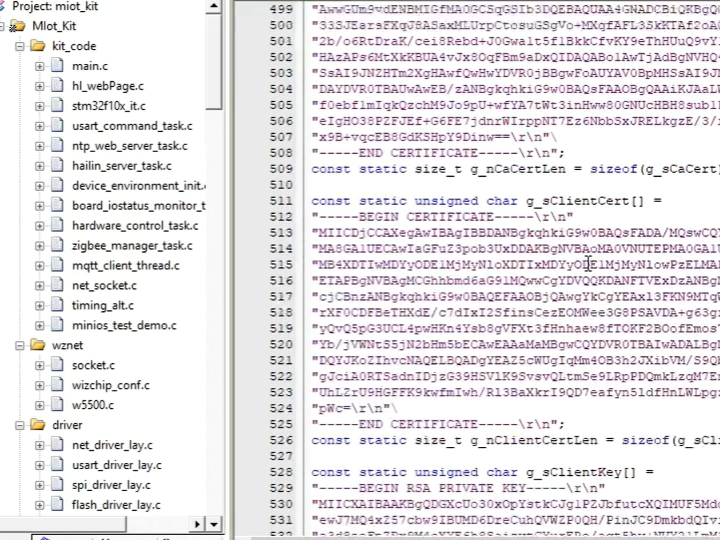
TCP connection via W5500
TLS handshake initiated by MCU
Client certificate sent to server
Server certificate validated
Encrypted session established
mTLS ensures both device and server authenticate each other.
Why Ethernet Instead of Wi-Fi?
| Feature | W5500 Ethernet | Wi-Fi SoC |
|---|---|---|
| RF interference | None | Possible |
| Deterministic latency | High | Variable |
| TCP/IP stack | Hardware | Software |
| Stability | High | Moderate |
Ethernet improves reliability, especially for permanently installed Smart Home devices.
Security & Reliability Perspective
This design ensures:
Secure encrypted communication
Device-level authentication
Reduced attack surface at network layer
Stable wired connectivity
It aligns with Industrial IoT security principles while remaining suitable for Smart Home deployment.
FAQ (WIZnet-Focused)
Q1: Why use W5500 for secure Smart Home devices?
A: W5500 offloads TCP/IP to hardware, allowing the MCU to focus on TLS encryption and security.
Q2: Does W5500 support SSL directly?
A: No. SSL/TLS is handled by the MCU at the application layer over TCP.
Q3: What is mTLS?
A: Mutual TLS authenticates both client and server using certificates.
Q4: Is Ethernet better than Wi-Fi for Smart Home?
A: For fixed installations, Ethernet provides higher reliability and stability.
Q5: Is this suitable for education?
A: Yes. It demonstrates secure layered IoT architecture clearly.
Tags
#W5500 #mTLS #SSL #SmartHome #Ethernet #IoTSecurity #EmbeddedSystems
🇰🇷 KOREAN VERSION
W5500과 mTLS를 사용해 보안 이더넷 기반 스마트 홈 장치를 구축하는 방법은?
(How to Build a Secure Ethernet-Based Smart Home Device with W5500 and mTLS?)
프로젝트 개요 (58단어)
이 프로젝트는 W5500 이더넷과 mKit(MiOT Kit)을 결합하여 SSL 및 상호 TLS(mTLS)를 사용하는 보안 스마트 홈 장치를 구현합니다. 하드웨어 TCP/IP 오프로딩과 암호화 계층을 분리하여 안정적인 유선 통신과 강력한 클라우드 보안을 동시에 달성합니다.
시스템 구성
MCU: TLS 암호화 및 애플리케이션 처리
W5500: 하드웨어 TCP/IP 처리
클라우드: 인증 및 명령 서비스
네트워크 아키텍처
Mobile App → Cloud → Ethernet → W5500 → MCU → Device Logic
TCP/IP는 W5500이 처리하고, TLS는 MCU가 처리합니다.
mTLS 보안 절차
TCP 연결
TLS 핸드셰이크
클라이언트 인증서 검증
암호화 세션 수립
Ethernet vs Wi-Fi
유선 이더넷은:
RF 간섭 없음
예측 가능한 지연시간
높은 안정성
보안 스마트 홈 환경에 적합합니다.
FAQ
Q1: W5500이 SSL을 직접 처리하나요?
A: 아니요. TLS는 MCU에서 처리합니다.
Q2: mTLS란 무엇인가요?
A: 서버와 클라이언트가 서로 인증하는 보안 방식입니다.
Q3: 스마트 홈에 적합한가요?
A: 고정 설치 환경에서는 매우 적합합니다.
Q4: 교육용으로 가치가 있나요?
A: 네, 계층형 IoT 보안 구조를 학습할 수 있습니다.
Q5: Wi-Fi 대신 Ethernet을 사용하는 이유는?
A: 더 높은 안정성과 예측 가능한 통신 때문입니다.