



How Do You Debug Common W5500 Failures on STM32?
This article explains how to debug common Ethernet failures when using the WIZnet W5500 with STM32 microcontrollers.
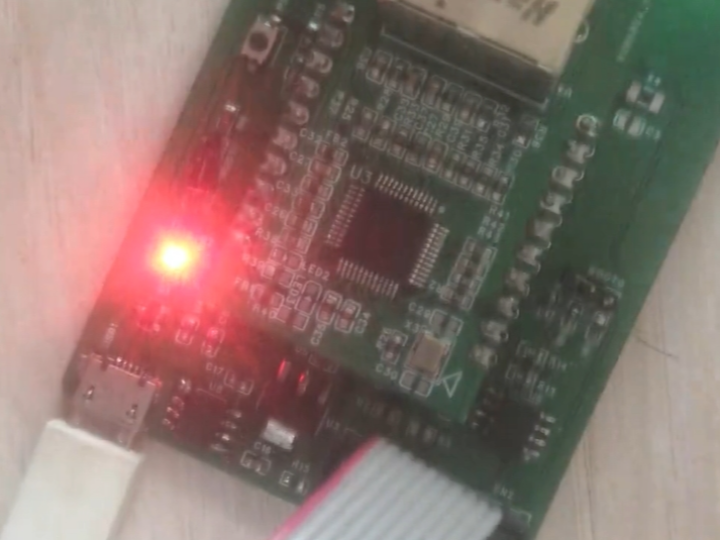
How Do You Debug Common W5500 Failures on STM32?
Reproducing Issues, Understanding Root Causes, and Fixing Ethernet Problems at the Driver Level
(STM32 + W5500에서 자주 발생하는 이더넷 오류는 어떻게 디버깅해야 하는가?)
Summary (40–60 words)
This article explains how to debug common Ethernet failures when using the WIZnet W5500 with STM32 microcontrollers. By reproducing typical issues and analyzing SPI behavior, register state, and socket lifecycle, it shows how most “network problems” are actually deterministic driver-level mistakes that can be identified and fixed systematically.
1. Why Debugging W5500 Feels Hard (But Actually Isn’t)
Many engineers experience the same pattern:
Ethernet works once, then stops
TCP connects, but no data arrives
send() succeeds, but the peer receives nothing
Device needs reboot after hours or days
These issues often feel random.
In reality, W5500 failures are usually:
Deterministic, repeatable, and caused by a small set of driver-level mistakes.
Understanding how to reproduce failures is the fastest path to fixing them.
2. Debugging Philosophy for W5500 Systems
A key principle:
Never debug at the protocol level first. Debug at the register and buffer level.
W5500 already implements:
TCP/IP state machines
Retransmission
Checksums
If something fails, it is almost always because:
SPI communication is wrong
Registers are misconfigured
Socket or buffer lifecycle is violated
3. Failure Case #1: “Link LED Is On, but Network Doesn’t Work”
How to Reproduce
Power on the board
Ethernet cable connected
Link LED is solid
Ping fails
Root Cause
IP address, subnet, or gateway registers not configured
Wrong network order or incomplete write
Debug Method
Read back network registers over SPI
Compare with expected values
Do this before opening any socket
Key Insight
PHY link ≠ IP connectivity.
4. Failure Case #2: “SPI Reads Work, but Writes Don’t”
How to Reproduce
SPI read returns valid values
Register writes appear to have no effect
Root Cause
Chip Select (CS) toggles mid-frame
SPI DMA completes before CS is released
Control byte misconfigured
Debug Method
Capture SPI with logic analyzer
Verify CS stays LOW for entire frame
Verify address + control + data are contiguous
Key Insight
CS timing violations cause silent corruption, not immediate failure.
5. Failure Case #3: “TCP Connects, but No Data Is Sent”
How to Reproduce
Socket reaches ESTABLISHED
SEND command issued
Peer receives nothing
Root Cause
TX write pointer not updated
SEND issued with zero-length payload
Debug Method
Inspect TX write pointer before SEND
Verify it advances by payload length
Key Insight
SEND transmits what the pointer describes, not what you think you wrote.
6. Failure Case #4: “RX Works Once, Then Stops Forever”
How to Reproduce
First packet received correctly
Subsequent packets never arrive
Root Cause
RX buffer not released
RECV command omitted
Debug Method
Monitor RX received size register
Check whether RX read pointer advances
Confirm RECV is issued after every read
Key Insight
RX data is not freed automatically.
This is the most common long-running failure.
7. Failure Case #5: “Works for Hours, Then Hangs”
How to Reproduce
Device runs normally
After hours or days, communication stalls
Root Cause
Gradual RX buffer exhaustion
Pointer wrap mishandling
Socket not closed or reset after errors
Debug Method
Log RX buffer usage over time
Check pointer values at failure moment
Force socket close and re-open
Key Insight
Long-running failures are almost always buffer-lifecycle bugs.
8. Socket Lifecycle Debug Checklist
For every socket, verify:
Socket mode set correctly
OPEN command issued
Correct transition to LISTEN / CONNECT
ESTABLISHED state reached
RX drained and RECV issued
TX pointer updated before SEND
Socket closed or reused cleanly
Skipping any step leads to undefined behavior.
9. SPI + RTOS: A Common Debug Trap
In RTOS systems:
Multiple tasks access SPI
CS control becomes fragmented
Timing becomes non-deterministic
Best practice:
Serialize all W5500 SPI access
Protect with mutex or dedicated task
Many “random” bugs disappear after this change.
10. Why W5500 Is Actually Debug-Friendly
Despite these issues, W5500 is easier to debug than software TCP/IP stacks because:
All state is visible via registers
No hidden heap or timers
No background protocol threads
Once you know where to look, failures are transparent.
11. Practical Debug Order (Recommended)
When something breaks:
Check SPI waveform
Verify CS timing
Read back registers
Check socket state
Check TX/RX pointers
Only then inspect application logic
This order saves days of debugging.
12. Key Takeaway
Most W5500 “network problems” on STM32 are not network problems at all — they are reproducible driver-level mistakes involving SPI, registers, and buffer lifecycle.
When these fundamentals are respected:
Failures become predictable
Debugging becomes systematic
Systems reach true industrial stability
FAQ (Engineer-Focused)
Q1. Are these bugs hardware defects?
No. They are integration mistakes.
Q2. Can logic analyzers really help?
Yes. SPI timing issues are invisible in software.
Q3. Does TCP itself ever fail here?
Rarely. Hardware TCP/IP is very robust.
Q4. Is this STM32-specific?
No. These issues apply to any MCU.
Q5. Can these be fully prevented?
Yes, with disciplined driver design.
Source
Bilibili video: BV1Kh4y1b7Nm
WIZnet W5500 Datasheet
STM32 SPI reference manuals
Tags
W5500, WIZnet, STM32, Ethernet Debugging, SPI Debug, TCP Failure, Embedded Networking, Industrial IoT
🇰🇷 한국어 번역 (1:1 Full Translation)
STM32 + W5500에서 자주 발생하는 이더넷 오류는 어떻게 디버깅해야 하는가?
실패 재현, 근본 원인 분석, 드라이버 수준 문제 해결
요약
본 문서는 STM32와 WIZnet W5500을 사용할 때 자주 발생하는 이더넷 오류를 디버깅하는 방법을 설명한다. SPI 동작, 레지스터 상태, 소켓 및 버퍼 생명주기를 중심으로, 대부분의 “네트워크 문제”가 실제로는 재현 가능한 드라이버 수준 오류임을 보여준다.
1. 디버깅이 어려워 보이는 이유
문제는
무작위가 아니다.
2. 디버깅 원칙
프로토콜보다
레지스터를 먼저 보라.
3. 대표적인 실패 유형
링크만 있고 통신 안 됨
TX 성공, 수신 없음
RX 한 번만 되고 멈춤
장시간 후 정지
4. 핵심 원인
CS 타이밍 오류
포인터 미갱신
RECV 누락
5. 핵심 메시지
W5500 디버깅의 본질은 SPI와 버퍼 생명주기다.
태그
W5500, STM32, 이더넷 디버깅, SPI 오류, TCP 문제, 임베디드 네트워크