This section tests the first basic task, compiling using the Arduino IDE software.
I. Software Configuration
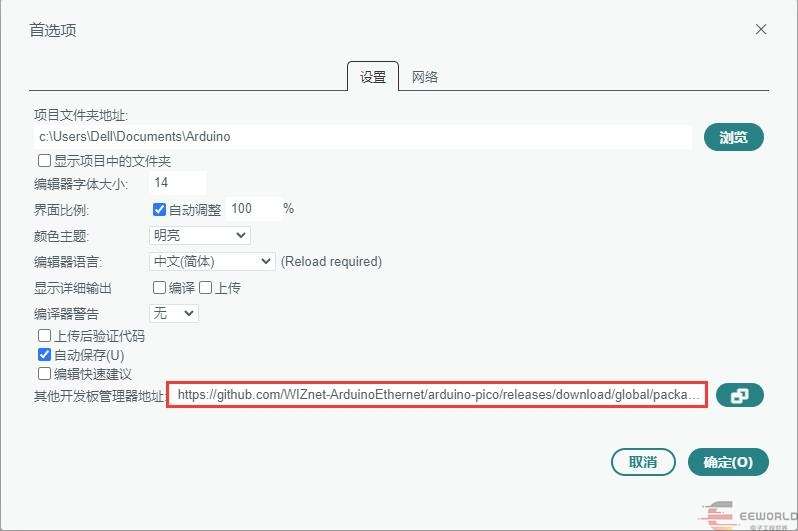
1.1 Adding Development Board Library Files
https://github.com/WIZnet-ArduinoEthernet/arduino-pico/releases/download/global/package_rp2040-ethernet_index.json
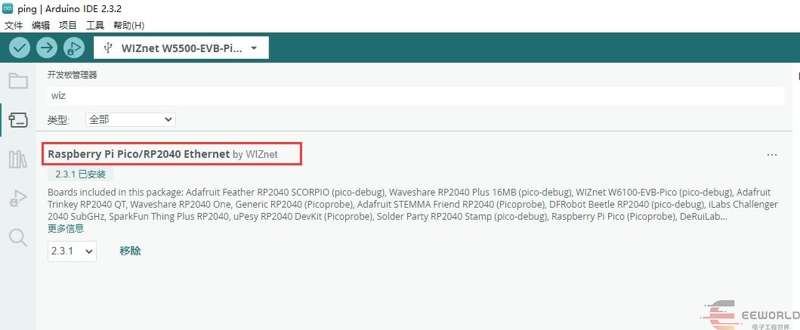
1.2 Installing Development Board Library Files
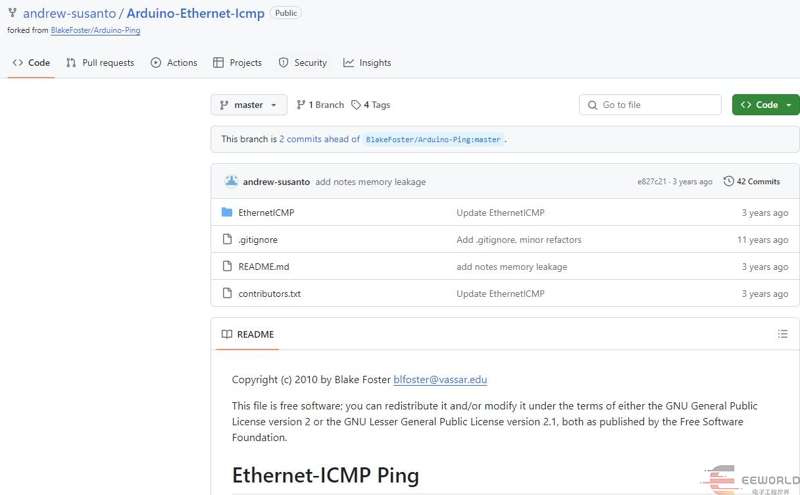
1.3 Downloading the Software Package
https://github.com/WIZnet-ArduinoEthernet/arduino-pico/releases/download/global/package_rp2040-ethernet_index.json
1.4 Adding Libraries
Manually add the library files by copying the downloaded files to the following folder.
II. Software
Test Code:
#include <SPI.h>
#include <Ethernet.h>
#include <Dns.h>
#include <EthernetICMP.h>
// 网卡mac地址
byte mac[] = { 0x00, 0x01, 0x00, 0x00, 0x00, 0xFF };
DNSClient dnClient;
IPAddress dstip;
SOCKET pingSocket = 0;
char buffer[256];
EthernetICMPPing ping(pingSocket, (uint16_t)random(0, 255));
// 静态ip地址、DNS服务、网关、子网掩码
IPAddress ip(192, 168, 1, 205);
IPAddress myDns(192, 168, 1, 1);
IPAddress gateway(192, 168, 1, 1);
IPAddress subnet(255, 255, 255, 0);
void setup() {
 // 配置LED
 pinMode(LED_BUILTIN, OUTPUT);
 // 配置串口
 Serial.begin(115200);
 while (!Serial) {
   ;  // 等待串口连接
 }
 // 静态IP设置
 Serial.println("Ethernet Begin");
 Ethernet.init(17);
 Ethernet.begin(mac, ip, myDns, gateway, subnet);
 // 输出网卡mac地址、IP地址、子网掩码、DNS、网关
 Serial.print("My Mac address: ");
 byte macBuffer[6];               // 设置mac地址存储buff
 Ethernet.MACAddress(macBuffer);  // 读取mac地址
 for (byte octet = 0; octet < 6; octet++) {
   Serial.print(macBuffer[octet], HEX);
   if (octet < 5) {
     Serial.print('-');
   }
 }
 Serial.println("");
 Serial.print("My IP address: ");
 Serial.println(Ethernet.localIP());
 Serial.print("My subnet: ");
 Serial.println(Ethernet.subnetMask());
 Serial.print("My DNS address: ");
 Serial.println(Ethernet.dnsServerIP());
 Serial.print("My GateWay address: ");
 Serial.println(Ethernet.gatewayIP());
 dnClient.begin(Ethernet.dnsServerIP());
 const char domains[] = "www.eeworld.com.cn";
   if (dnClient.getHostByName(domains, dstip) == 1) {
   Serial.print(domains);
   Serial.print(" = ");
   Serial.println(dstip);
 }
 else Serial.println(F("dns lookup failed"));
}
void loop() {
 EthernetICMPEchoReply echoReply = ping(dstip, 4);
 if (echoReply.status == SUCCESS)
 {
   sprintf(buffer,
           "Reply[%d] from: %d.%d.%d.%d: bytes=%d time=%ldms TTL=%d",
           echoReply.data.seq,
           echoReply.addr[0],
           echoReply.addr[1],
           echoReply.addr[2],
           echoReply.addr[3],
           REQ_DATASIZE,
           millis() - echoReply.data.time,
           echoReply.ttl);
 }
 else
 {
   sprintf(buffer, "Echo request failed; %d", echoReply.status);
 }
 Serial.println(buffer);
 digitalWrite(LED_BUILTIN, HIGH);  // turn the LED on (HIGH is the voltage level)
 delay(100);                      // wait for a second
 digitalWrite(LED_BUILTIN, LOW);   // turn the LED off by making the voltage LOW
 delay(500);                      // wait for a second
}
III. Running
3.1 Obtaining a Static IP Address
After downloading the program, output the configured static IP address via serial port.
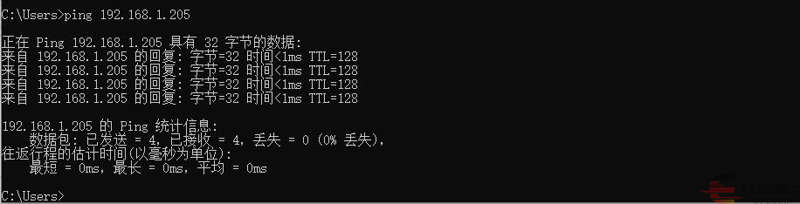
3.2 Pinging the Network
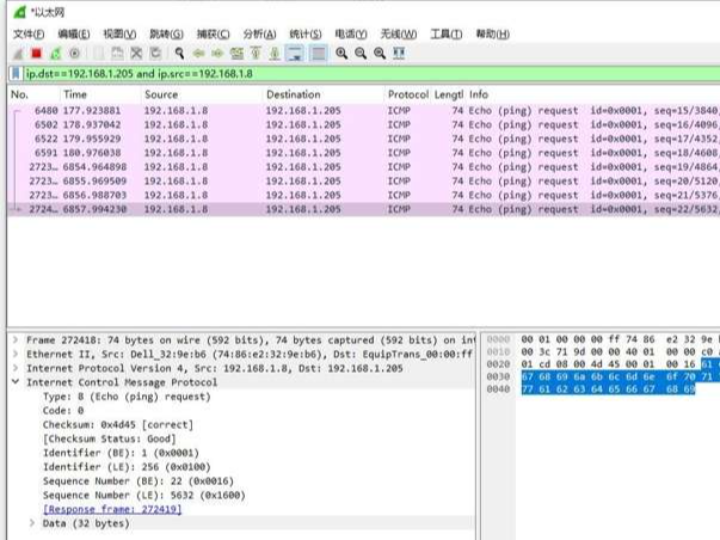
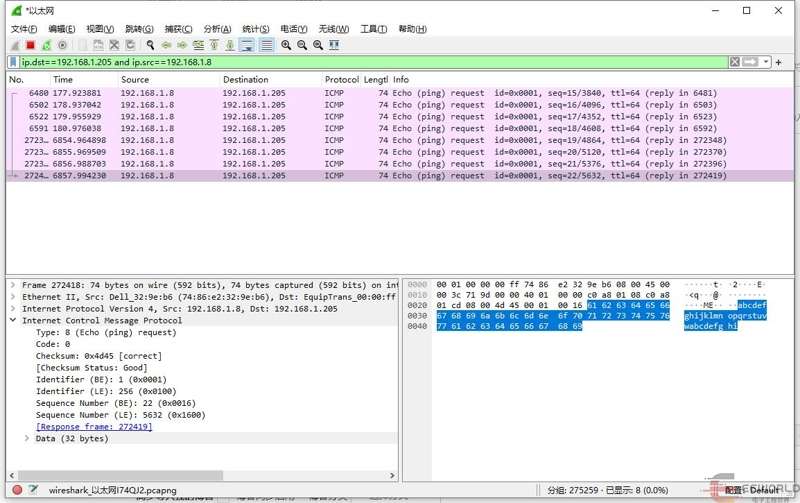
3.3 Capturing with a Capture Tool