



Network Loop Detector with W5500 and ESP32
Network Loop Detector with W5500 and ESP32
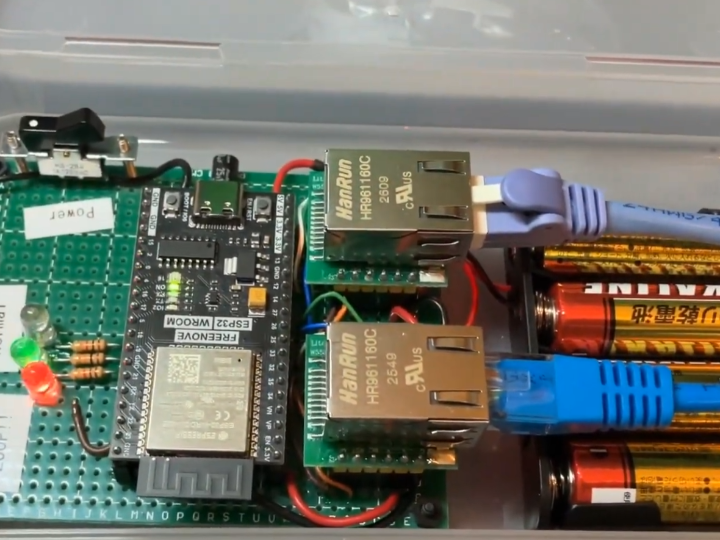
Network Loop Detector with W5500 and ESP32
Overview
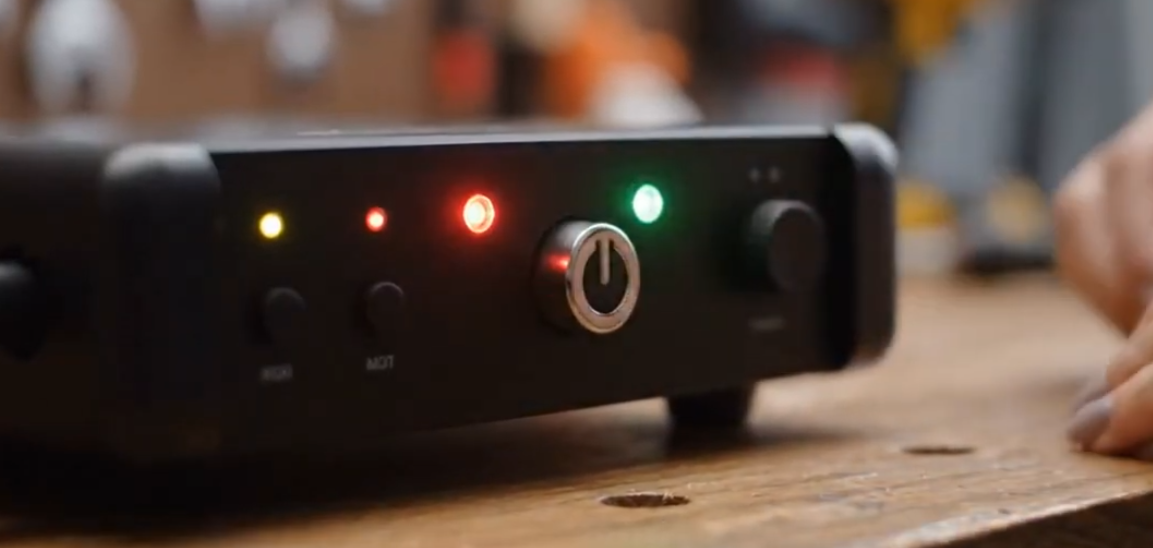
Network loops can cause serious problems in Ethernet infrastructure.
When a loop occurs in a Layer 2 network, broadcast frames can circulate repeatedly through switches and cables. This may result in broadcast storms, high network traffic, packet loss, unstable communication, and even complete network failure.
The Network Loop Detector with W5500 and ESP32 project provides a compact hardware-based tool for detecting network loop conditions without requiring a laptop or complex diagnostic software.
This project uses an ESP32 as the main controller and WIZnet W5500 Ethernet controllers as the wired Ethernet interfaces. By combining the flexible processing capability of ESP32 with the stable wired Ethernet connectivity of W5500, the device can monitor Ethernet link conditions and help identify possible network loop issues in the field.
The key component of this project is the W5500.
W5500 provides a hardwired TCP/IP stack, integrated Ethernet MAC, integrated PHY, and SPI host interface. This allows the ESP32 to communicate over wired Ethernet while keeping the firmware structure simple and reliable.
Background
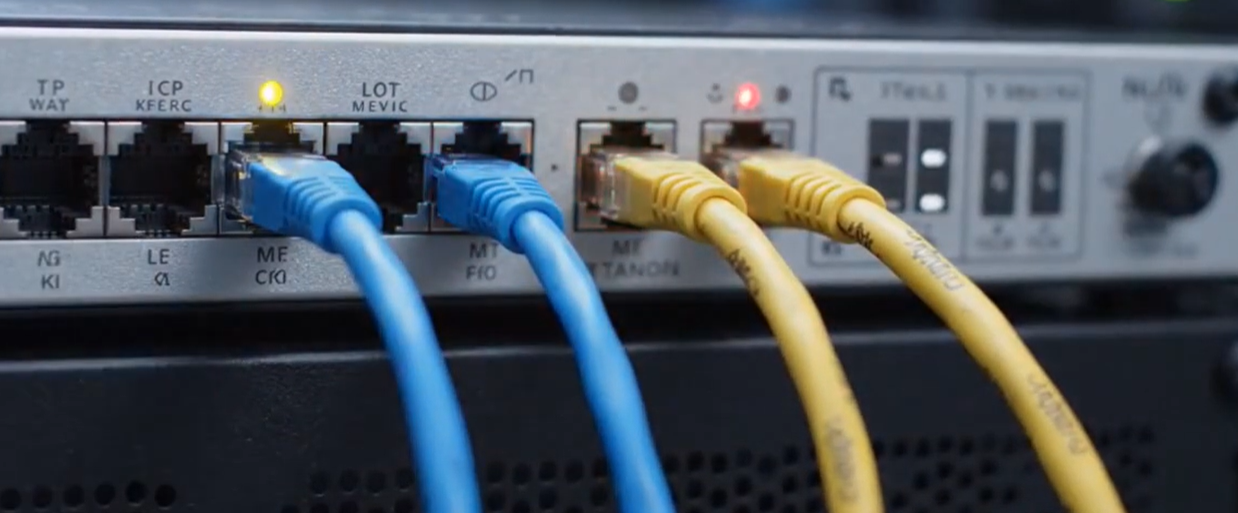
Ethernet networks are widely used in offices, factories, smart buildings, control systems, and embedded IoT environments because they provide stable and reliable wired communication.
However, one of the common issues in Ethernet installations is the network loop.
A network loop can happen when Ethernet cables or switches are connected incorrectly, creating a circular path in the network. In unmanaged or improperly configured networks, this may generate excessive broadcast traffic and quickly degrade the entire network.
Typical symptoms of a network loop include:
- Sudden network slowdown
- Unstable device communication
- Packet loss
- Switch LEDs blinking continuously
- DHCP failure
- Devices disconnecting from the network
- Complete LAN outage
In many cases, technicians need to disconnect cables one by one or use managed switch features to locate the problem. This can be time-consuming, especially in field environments.
A small standalone loop detector can make this process easier.
By connecting the tool to a suspicious Ethernet path, users can quickly check whether a loop condition exists and isolate network wiring problems more efficiently.
Solution
The Network Loop Detector with W5500 and ESP32 is designed as a portable diagnostic tool for Ethernet maintenance.
The ESP32 handles the main control logic, status processing, user interface, and test sequence. The W5500 Ethernet controllers provide reliable wired Ethernet communication through SPI.
The device can be used to check Ethernet behavior without relying on a PC.
A typical test sequence may include:
- Initializing the W5500 Ethernet interfaces
- Checking physical Ethernet link status
- Sending or monitoring diagnostic Ethernet traffic
- Detecting whether traffic returns unexpectedly
- Identifying possible loop conditions
- Displaying or indicating the test result to the user
- Recovering the Ethernet socket state automatically when needed
This makes the tool useful for network installation, field maintenance, industrial system checks, and embedded Ethernet troubleshooting.
Why W5500?
The W5500 plays an important role in this project because it provides stable wired Ethernet connectivity with a simple host interface.
1. Simple SPI Interface
W5500 communicates with the host MCU through SPI.
This is useful for ESP32-based systems because the ESP32 can control the Ethernet interface without requiring an external Ethernet MAC interface.
SPI is widely supported and easy to route on a PCB, making W5500 suitable for compact embedded hardware.
2. Hardwired TCP/IP Stack
W5500 includes a hardwired TCP/IP stack.
This reduces the amount of network processing that must be handled by the ESP32 firmware. Instead of implementing all Ethernet and TCP/IP handling in software, the ESP32 can control W5500 through socket-level operations.
This helps reduce:
- Firmware complexity
- CPU load
- RAM usage
- Network stack implementation effort
- Debugging time
3. Integrated Ethernet MAC and PHY
W5500 integrates the Ethernet MAC and PHY in a single chip.
This simplifies the hardware design because the system does not need a separate Ethernet PHY device. For a compact diagnostic tool, this integration is valuable because it reduces board complexity and helps make the design easier to reproduce.
4. Stable Wired Ethernet Communication
Network loop detection requires reliable wired Ethernet communication.
Since the device must check actual Ethernet behavior, the Ethernet interface needs to provide stable link detection and packet communication. W5500 is well suited for this purpose because it is designed specifically for embedded wired Ethernet applications.
System Architecture
The system can be divided into three main parts:
- ESP32 main controller
- W5500 Ethernet controller interface
- User interface and status indication
The ESP32 acts as the central processor. It runs the firmware, controls the test sequence, communicates with the W5500 devices through SPI, and processes the loop detection result.
The W5500 provides the Ethernet interface. In a dual-port design, two W5500 controllers can be used to monitor or test Ethernet traffic between two network points.
The user interface may include LEDs, a display, buttons, or serial debug output depending on the final hardware design.
A simplified operation flow is:
- User connects Ethernet cables to the detector.
- ESP32 initializes the W5500 Ethernet controllers.
- The device checks link status on the Ethernet ports.
- Diagnostic packets or traffic monitoring begins.
- The firmware checks whether packets are returning unexpectedly.
- If loop behavior is detected, the device reports a loop condition.
- If no loop is detected, the device reports normal status.
- Socket recovery logic helps keep the device running reliably during repeated tests.
This architecture separates application logic and Ethernet communication clearly.
The ESP32 focuses on control and detection logic, while the W5500 handles wired Ethernet communication.
Hardware Components
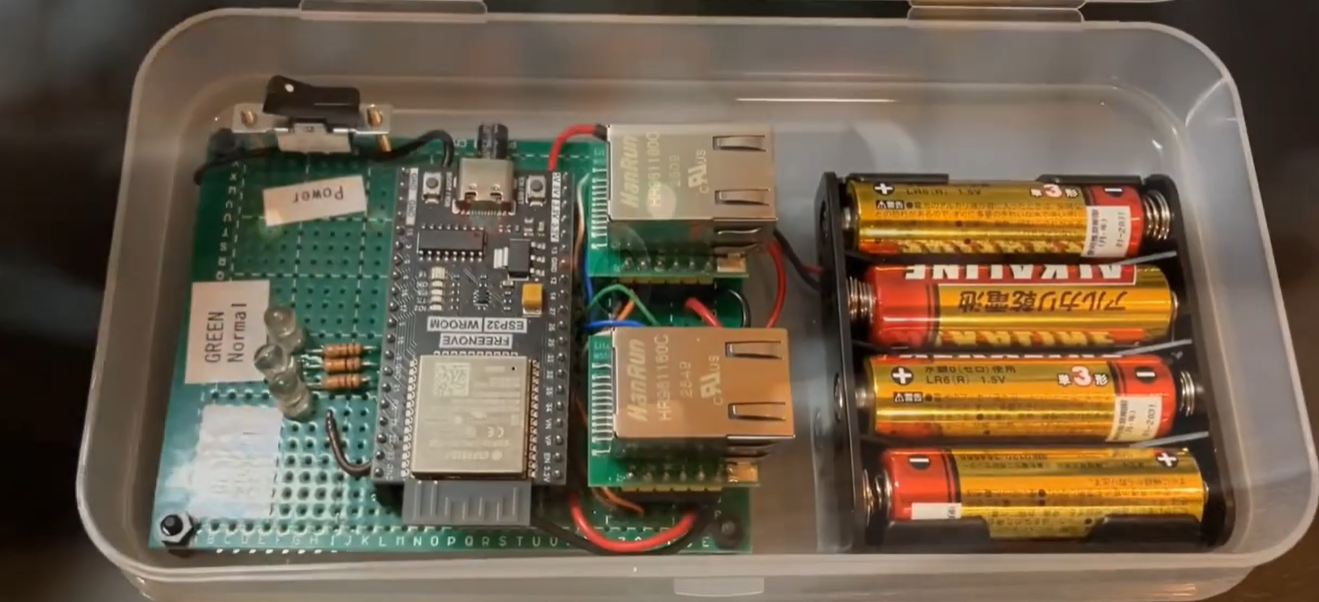
This project is built using the following main components:
- ESP32 microcontroller
- WIZnet W5500 Ethernet controller
- Ethernet RJ45 interface
- SPI interface between ESP32 and W5500
- Status LEDs or display module
- Power supply circuit
- Custom PCB or prototype board
- Enclosure for field use
The ESP32 provides flexible processing capability, wireless/debug options if needed, and enough GPIO for status indicators and control buttons.
The W5500 adds reliable wired Ethernet connectivity through SPI.
The Ethernet connector provides the physical LAN connection for testing network behavior.
A custom PCB and enclosure can make the tool suitable for portable field diagnostics.
Main Features
The Network Loop Detector provides the following features:
- ESP32-based control logic
- W5500-based wired Ethernet interface
- Network loop detection
- Ethernet link status check
- Diagnostic packet transmission or monitoring
- Standalone operation without a laptop
- Simple field diagnostic workflow
- Reliable SPI-based Ethernet communication
- Hardware TCP/IP support through W5500
- Automatic socket recovery for stable operation
- Compact hardware design
- Suitable for network installation and maintenance
These features make the device useful for technicians, embedded developers, and network installers who need a quick way to identify Ethernet loop problems.
How It Works
The detector checks for abnormal Ethernet behavior that may indicate a network loop.
First, the ESP32 initializes the W5500 Ethernet controllers and checks whether the physical Ethernet links are active.
After the link is established, the device starts the loop detection process. Depending on the firmware design, this can be done by sending diagnostic frames, monitoring received packets, or checking whether specific traffic returns through an unexpected path.
If the transmitted or monitored traffic appears in a way that indicates a circular network path, the firmware determines that a loop may exist.
The result can then be shown using LEDs, a display, or serial output.
For example:
- Link Down: Ethernet cable is not connected or no physical link is detected.
- Normal: Link is active and no loop behavior is detected.
- Loop Detected: Traffic behavior suggests that a network loop exists.
- Recovery: Ethernet socket or interface is being reset for stable operation.
This simple diagnostic flow allows users to check network loop conditions quickly without using a computer.
Benefits
By combining ESP32 with W5500, this project achieves several benefits:
- Portable network loop detection
- No laptop required for basic Ethernet diagnostics
- Simple SPI interface between MCU and Ethernet controller
- Stable wired Ethernet communication
- Reduced firmware complexity using W5500
- Compact and reproducible hardware design
- Useful for installation and maintenance work
- Expandable firmware for additional Ethernet tests
The project is also a useful reference design for developers who want to build ESP32-based Ethernet tools using W5500.
Applications
This project can be used or extended for various applications, including:
- Network loop detection
- LAN installation support
- Ethernet wiring verification
- Field maintenance tools
- Industrial Ethernet diagnostics
- Embedded Ethernet monitoring
- Switch and cable troubleshooting
- Network training equipment
- IoT device installation support
The same ESP32 and W5500 architecture can also be reused for other Ethernet-enabled diagnostic tools.
Examples include:
- Portable LAN tester
- Ethernet packet monitor
- DHCP checker
- Network status display
- Industrial device connectivity tester
- Remote Ethernet watchdog
- Embedded network recovery tool
Conclusion
The Network Loop Detector with W5500 and ESP32 is a practical example of how W5500 can be used in embedded Ethernet diagnostic tools.
By combining ESP32 with WIZnet W5500 Ethernet controllers, the project creates a standalone device that can help detect network loop conditions and support field troubleshooting.
The W5500 is especially useful because it provides a hardwired TCP/IP stack, integrated Ethernet MAC and PHY, and a simple SPI interface. This allows the ESP32 to focus on the application logic while the W5500 handles reliable wired Ethernet communication.
This project demonstrates how W5500 can turn a compact MCU-based board into a useful network maintenance tool.
It is a strong reference for developers who want to build portable LAN testers, industrial Ethernet diagnostic tools, network monitoring devices, or other embedded products that require stable wired Ethernet connectivity.
Q1: Why use W5500 with ESP32?
A1:
W5500 adds reliable wired Ethernet connectivity to ESP32 through SPI.
Key benefits include:
- Simple SPI interface
- Hardwired TCP/IP stack
- Integrated Ethernet MAC and PHY
- Reduced ESP32 firmware workload
- Stable wired network communication
This makes W5500 suitable for ESP32-based Ethernet diagnostic tools.
Q2: What problem does this project solve?
A2:
This project helps detect Ethernet network loop conditions.
A network loop can cause serious LAN problems such as broadcast storms, packet loss, unstable communication, and network downtime.
The detector provides a simple standalone way to check for possible loop behavior in the field.
Q3: Why is network loop detection important?
A3:
A network loop can affect the entire Ethernet infrastructure.
If loop traffic continues to circulate through the network, switches and connected devices may become overloaded. This can cause slow communication, DHCP failures, disconnections, and service interruption.
Detecting loops quickly helps reduce network downtime.
Q4: Can this device work without a laptop?
A4:
Yes.
The purpose of this project is to provide standalone Ethernet diagnostics.
The user can connect Ethernet cables directly to the device and check the loop detection result through the device interface.
Q5: What other projects can be built using the same architecture?
A5:
The same ESP32 and W5500 structure can be reused for many embedded Ethernet applications.
Examples include:
- LAN tester
- DHCP tester
- Ethernet link monitor
- Packet counter
- Industrial Ethernet watchdog
- Network status display
- Remote monitoring device
- IoT gateway
Because W5500 handles Ethernet communication, developers can focus more on the application logic and user experience.