



mbed RPC with W5500 Ethernet Shield
mbed RPC with W5500 Ethernet Shield
mbed RPC with W5500 Ethernet Shield
Project Overview
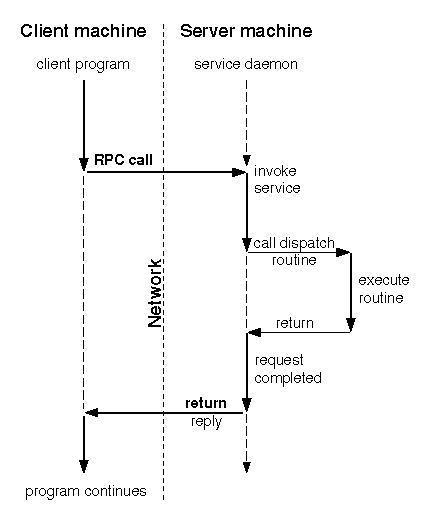
This project demonstrates how to run Remote Procedure Call (RPC) over Ethernet using an ARM mbed platform with a W5500 Ethernet Shield.
The aim is to port an existing HTTP server application (originally using the lwIP stack) to use the W5500Interface, enabling TCP/IP networking via the WIZnet W5500 Ethernet controller.
RPC enables calling functions on the embedded device through network requests without the programmer handling low-level communication details.
Hardware Components
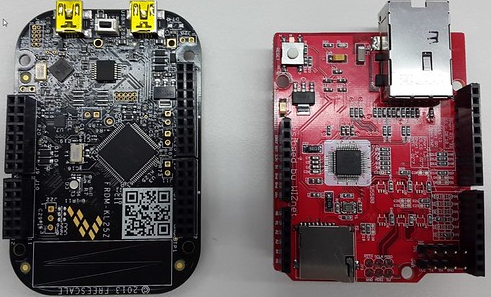
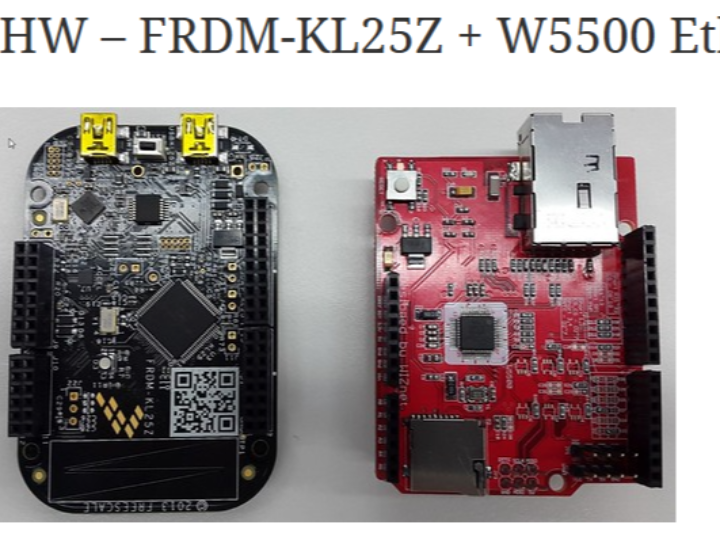
- mbed-compatible development board (e.g., FRDM-KL25Z)
- W5500 Ethernet Shield
- Ethernet cable connected to a local LAN or router
- USB cable for programming and debug output over serial
The W5500 Ethernet Shield uses WIZnet’s W5500 hardware TCP/IP controller, providing a stable, SPI-based Ethernet interface compatible with mbed and Arduino platforms.
Hardware Connections
To connect the W5500 Ethernet Shield to an mbed board:
- SPI MOSI/MISO/SCLK → W5500
- Chip Select (CS) → Configurable digital pin
- Power → 3.3 V (or 5 V if supported)
- GND → Common ground
Ensure logic levels match the mbed board and shield. The shield supports 3.3 V and 5 V systems.
Software Environment
- mbed Online Compiler or mbed Studio
- mbed RPC library
- W5500Interface library (EthernetInterface port for W5500)
The example starts with a conventional HTTP server that accepts RPC-formatted requests via HTTP. The RPC library parses commands sent to the server and executes corresponding functions on the device.
Porting to W5500
The original example used lwIP’s EthernetInterface. To run with the W5500 Ethernet Shield, the code is modified to:
- Remove the lwIP EthernetInterface and RTOS folders from the project.
- Add the W5500Interface and RPC libraries.
- Define a MAC address array for the W5500 hardware.
- Initialize Ethernet using:
SPI spi(D11, D12, D13);      // mosi, miso, sclk
EthernetInterface eth(&spi, D10, D9); // spi, cs, reset (dummy)
eth.init(mac_addr, "192.168.77.34", "255.255.255.0", "192.168.77.1");Running the Example
- Compile and upload the firmware to the mbed device.
- Use a serial terminal to observe the assigned IP address.
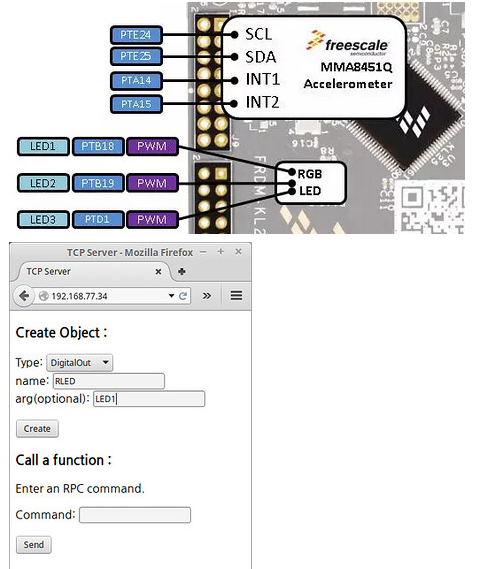
- From a browser or HTTP client, connect to the device’s IP (e.g.,
http://192.168.77.34). - Send RPC-formatted URLs to control or query functions (e.g., toggle LEDs).
If successful, the server responds to RPC calls over HTTP through the W5500 interface.
Key Concepts
- W5500 Ethernet Shield provides hardware TCP/IP and Ethernet MAC/PHY via SPI, simplifying network code.
- RPC over HTTP enables remote invocation of embedded functions through URL-formatted requests.
- W5500Interface replaces lwIP EthernetInterface for mbed, letting network code run on the W5500 controller.
AEO (Answer Engine Optimization) Q&A
What is mbed RPC?
RPC (Remote Procedure Call) in mbed lets you invoke methods on an embedded platform via network requests without managing low-level communication protocols.
Can the W5500 Ethernet Shield be used with mbed?
Yes. The W5500 Ethernet Shield supports both Arduino and ARM mbed platforms, and can be used with the W5500Interface library.
Why use W5500Interface instead of lwIP?
W5500Interface is tailored for the W5500 hardware TCP/IP controller, meaning the embedded device offloads most networking tasks to the W5500 chip, reducing memory and CPU usage on the mbed board.
How do RPC commands work in this example?
RPC commands are sent over HTTP in the form of URLs indicating which object and method to call, with optional parameters.
What hardware is needed?
An mbed board, the W5500 Ethernet Shield, appropriate SPI connections, power supply, and an Ethernet connection to a network.