



ESP32-S3 + Module Ethernet W5500 Koneksi dengan MQTT
ESP32-S3 + Module Ethernet W5500 Koneksi dengan MQTT
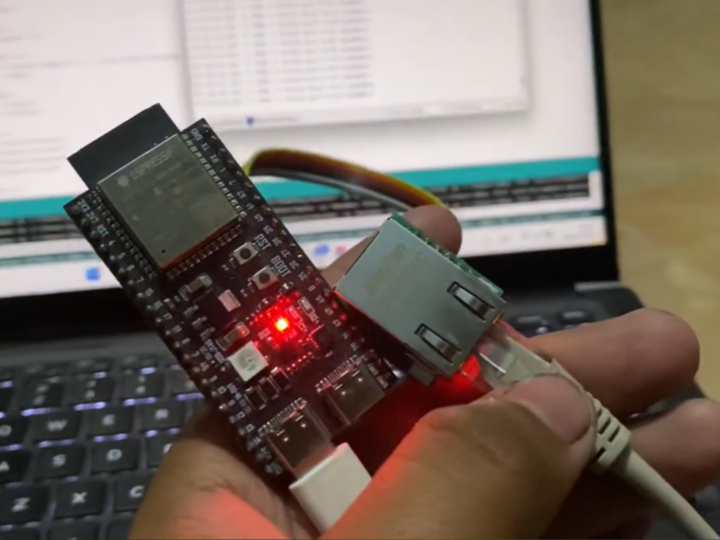
Overview
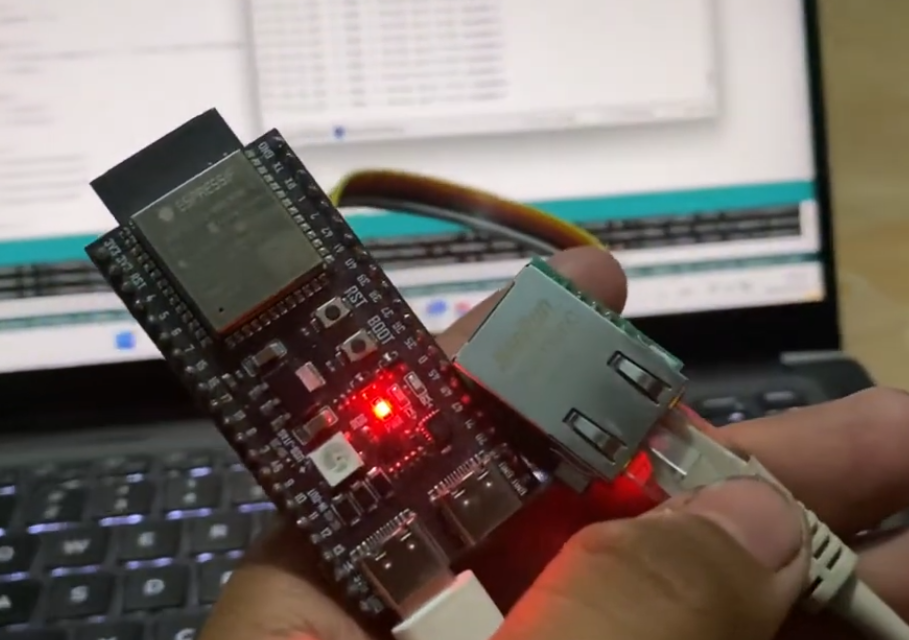
This project demonstrates how to add wired Ethernet connectivity to an embedded system using the WIZnet W5500 Ethernet controller.
W5500 is a hardwired TCP/IP Ethernet controller that communicates with the host MCU through SPI. It provides a simple way to connect microcontroller-based projects to a wired Ethernet network without requiring the host MCU to implement the full TCP/IP stack in software.
This tutorial is useful for developers who want to build Ethernet-enabled embedded devices such as IoT nodes, monitoring systems, data loggers, remote controllers, and industrial communication devices.
Background
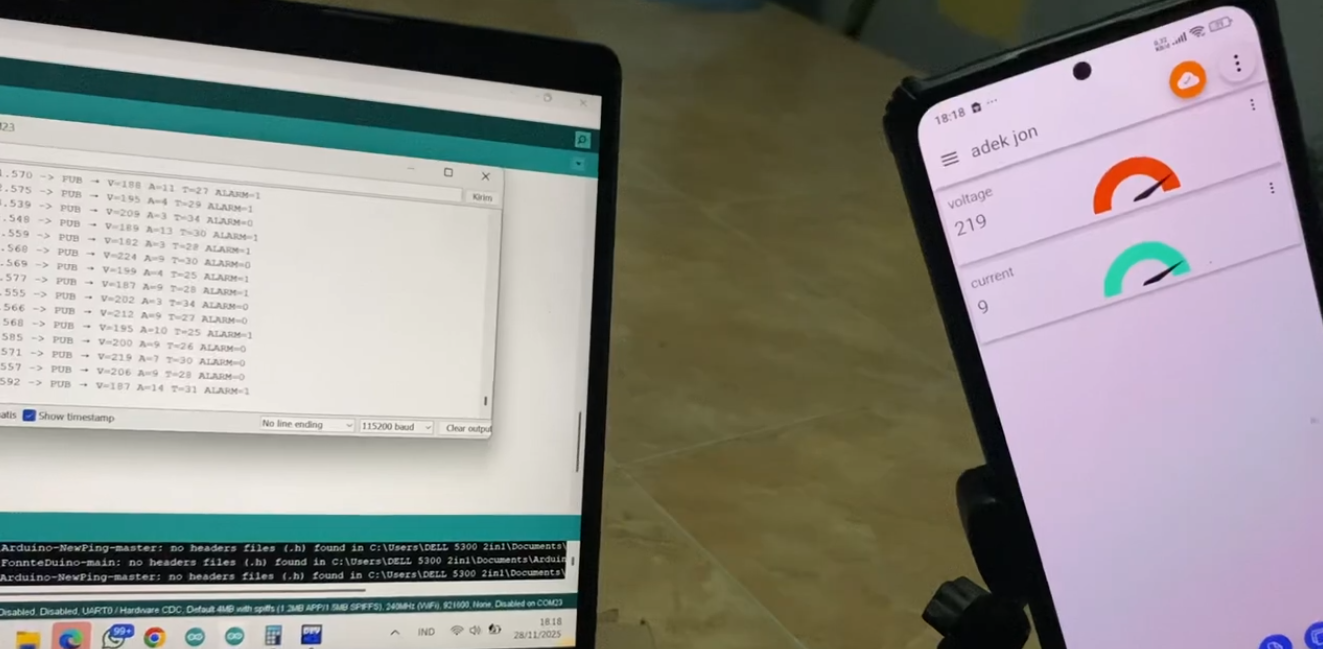
Many embedded projects use Wi-Fi for network communication. However, Wi-Fi is not always suitable for every application.
In some systems, wired Ethernet is preferred because it provides:
- More stable communication
- Lower dependency on wireless signal quality
- Better suitability for fixed installations
- Reliable operation in industrial environments
- Easier integration with local networks, switches, routers, and servers
For microcontroller-based systems, adding Ethernet can sometimes be complicated if the MCU does not have a built-in Ethernet MAC or PHY.
This is where WIZnet W5500 is useful.
W5500 integrates the Ethernet MAC, PHY, and hardwired TCP/IP stack. The host MCU only needs to communicate with W5500 through SPI, making the hardware and firmware structure much simpler.
Solution
The project uses W5500 as the Ethernet interface for the embedded system.
The basic system architecture is as follows:
Host MCU
   |
   | SPI
   |
WIZnet W5500
   |
   | Ethernet / RJ45
   |
Router / Switch / PC / Server
The host MCU handles the application logic, while W5500 handles Ethernet communication.
The MCU can send and receive data over the network through W5500. Depending on the firmware, the system can be used for TCP client, TCP server, UDP communication, web server, sensor data upload, or remote device control.
Why W5500?
W5500 is widely used in embedded Ethernet applications because it simplifies the process of adding wired network connectivity.
1. Hardwired TCP/IP Stack
W5500 includes a hardwired TCP/IP stack.
This reduces the firmware burden on the host MCU because the MCU does not need to run a full software TCP/IP stack.
This is useful for small embedded systems where RAM, flash memory, and processing resources are limited.
2. SPI Interface
W5500 communicates with the host MCU through SPI.
SPI is available on most microcontrollers, so W5500 can be connected to many platforms such as STM32, ESP32, Arduino-compatible boards, RP2040-based boards, and other embedded controllers.
3. Integrated Ethernet MAC and PHY
W5500 integrates both Ethernet MAC and PHY.
This reduces external component complexity and makes it easier to design compact Ethernet-enabled hardware.
4. Reliable Wired Communication
Ethernet is often preferred in applications that require stable and continuous communication.
W5500 enables embedded devices to communicate through wired Ethernet, making it suitable for industrial control, monitoring systems, building automation, and IoT gateways.
Hardware Concept
A typical W5500-based Ethernet project includes:
- Host MCU board
- W5500 Ethernet module or W5500-based custom board
- RJ45 Ethernet connector
- Ethernet cable
- Router, switch, PC, or server
- Power supply
- Optional sensors or output devices
The W5500 module is connected to the MCU through SPI signals.
Typical SPI connection:
MCU SCK   → W5500 SCLK
MCU MOSI  → W5500 MOSI
MCU MISO  → W5500 MISO
MCU CS    → W5500 CS
MCU RST   → W5500 RST
MCU INT   → W5500 INT
3.3V      → W5500 VCC
GND       → W5500 GND
The exact pin assignment depends on the MCU board and firmware configuration.
Main Functions Demonstrated
A W5500 Ethernet tutorial usually demonstrates one or more of the following functions.
1. Network Initialization
The MCU initializes W5500 through SPI.
The firmware configures network parameters such as:
- MAC address
- IP address
- Gateway
- Subnet mask
- DNS server
- DHCP or static IP mode
After initialization, the device can connect to the local Ethernet network.
2. Ping Test
A ping test is commonly used to verify basic network connectivity.
If the device responds to ping, it means the W5500 Ethernet link and IP configuration are working correctly.
This is usually the first step when testing an Ethernet-enabled embedded board.
3. TCP Communication
W5500 can be used for TCP communication.
The embedded device can operate as:
- TCP server
- TCP client
In TCP server mode, a PC or external device connects to the embedded device.
In TCP client mode, the embedded device connects to a server.
This is useful for remote control, data logging, device configuration, and industrial communication.
4. UDP Communication
UDP can also be used for lightweight packet-based communication.
UDP is useful for applications that need simple and fast data exchange, such as:
- Sensor data broadcasting
- Local network discovery
- Real-time status messages
- Simple command transmission
5. Web Server Example
The MCU can also run a simple web server using W5500.
In this case, a user can open a browser and access the embedded device through its IP address.
This is useful for:
- Device status monitoring
- Relay control
- Sensor value display
- Configuration pages
- Debug interfaces
System Architecture
A typical application using W5500 can be structured as follows:
Sensors / Buttons / Actuators
        |
      Host MCU
        |
      SPI
        |
      W5500
        |
    Ethernet
        |
PC / Router / Server / Cloud / SCADA
The MCU manages the application.
W5500 manages the Ethernet connection.
This separation makes the design simple, scalable, and easy to reuse in other embedded projects.
Benefits
Using W5500 in an embedded Ethernet project provides several benefits.
Hardware Benefits
- Simple SPI connection
- Integrated MAC and PHY
- Compact Ethernet implementation
- Suitable for many MCU platforms
- Easy to use with W5500 modules or custom hardware
Firmware Benefits
- Hardwired TCP/IP processing
- Reduced MCU workload
- Easier TCP/UDP implementation
- Suitable for small embedded systems
- Faster Ethernet prototyping
System Benefits
- Stable wired communication
- Suitable for fixed installations
- Useful in industrial and automation environments
- Easy connection to local network infrastructure
- Supports client, server, and web-based applications
Applications
This W5500-based Ethernet structure can be used in many applications, including:
- IoT sensor nodes
- Ethernet data loggers
- Remote monitoring devices
- Industrial controllers
- Factory automation equipment
- Smart building controllers
- Web-based device control
- TCP/UDP communication devices
- SCADA-connected embedded devices
- Test and measurement equipment
- Educational Ethernet projects
The same architecture can also be used as a starting point for commercial embedded Ethernet products.
WIZnet Maker Angle
For WIZnet Maker, this project is a good example of how developers can quickly add Ethernet to MCU-based systems using W5500.
The key points are:
- W5500 adds wired Ethernet through SPI.
- The host MCU can focus on application logic.
- W5500 handles the Ethernet and TCP/IP communication.
- The project can be extended to TCP, UDP, web server, sensor monitoring, and remote control applications.
- It is suitable for both learning and real embedded product development.
Recommended wording:
This tutorial demonstrates how WIZnet W5500 can be used to add reliable wired Ethernet connectivity to embedded projects through a simple SPI interface.
Conclusion
This project shows how to build an Ethernet-enabled embedded system using WIZnet W5500.
By connecting W5500 to a host MCU through SPI, developers can add stable wired network connectivity to their projects without using a complex Ethernet hardware design or full software TCP/IP stack.
The tutorial is useful for learning Ethernet communication and can also serve as a reference for real applications such as IoT devices, remote monitoring systems, industrial controllers, and network-connected embedded products.
W5500 makes Ethernet integration simple, reliable, and practical for embedded developers.
Q1: What is this project about?
A1:
This project demonstrates how to add wired Ethernet connectivity to an embedded system using WIZnet W5500.
Q2: Which WIZnet product is used?
A2:
The project uses WIZnet W5500 Ethernet controller.
Q3: How does the host MCU communicate with W5500?
A3:
The host MCU communicates with W5500 through the SPI interface.
Q4: Why is W5500 useful for embedded Ethernet projects?
A4:
W5500 includes a hardwired TCP/IP stack, Ethernet MAC, and PHY. This reduces firmware complexity and makes Ethernet integration easier.
Q5: What applications can use this structure?
A5:
The same structure can be used for IoT devices, data loggers, remote monitoring systems, industrial controllers, web-based control devices, and Ethernet communication tutorials.