



ESP-WROOM-02にもEthernetシールドUSR-ES1をつないでみる
ESP-WROOM-02にもEthernetシールドUSR-ES1をつないでみる
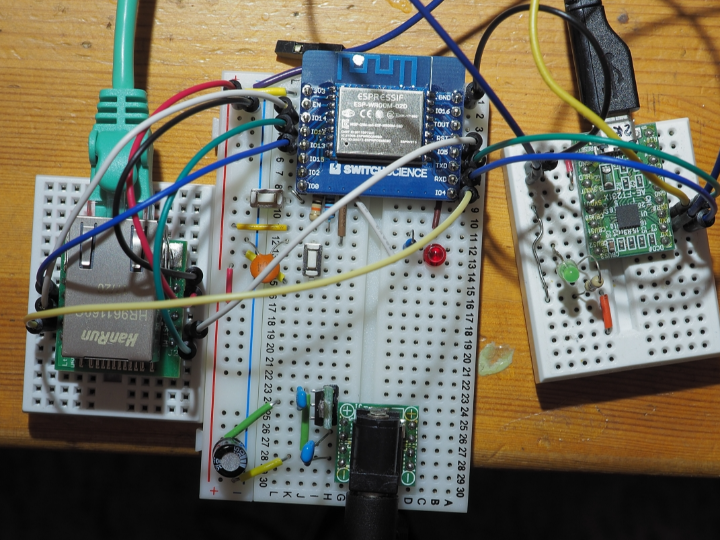
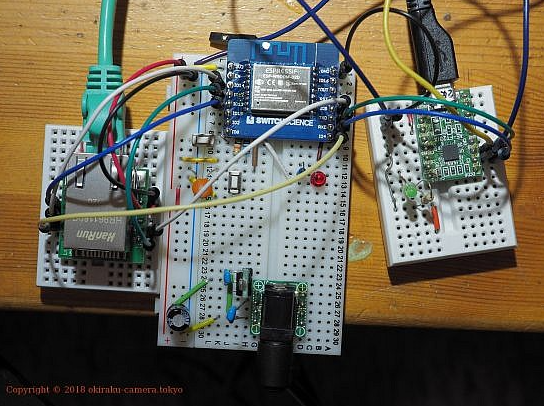
ESP-WROOM-02 Ethernet Expansion Using USR-ES1
Project Overview
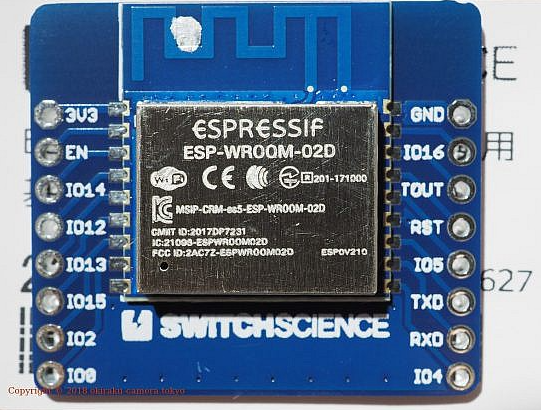
This project demonstrates how to add wired Ethernet connectivity to an ESP-WROOM-02 (ESP8266-based) module using the USR-ES1 Ethernet module.
Although the ESP-WROOM-02 is designed primarily for Wi-Fi communication, certain applications require stable, low-latency, or security-controlled wired Ethernet connections. By integrating an external Ethernet module via SPI, the ESP-WROOM-02 can operate in a wired network environment.
This project verifies hardware connectivity, SPI communication, Ethernet initialization, and basic TCP/IP functionality.
Hardware Components
- ESP-WROOM-02 (ESP8266 module)
- USR-ES1 Ethernet module (SPI-based Ethernet controller)
- 3.3V stable power supply
- Breadboard and jumper wires
- USB-to-Serial adapter (for firmware upload and debugging)
System Architecture
The system architecture consists of:
ESP-WROOM-02
→ SPI Interface
→ USR-ES1 Ethernet Module
→ RJ45 Connector
→ Wired LAN Network
The ESP8266 handles application logic and TCP/IP control via an Ethernet library, while the Ethernet controller inside the USR-ES1 manages low-level MAC and PHY operations.
Hardware Connections
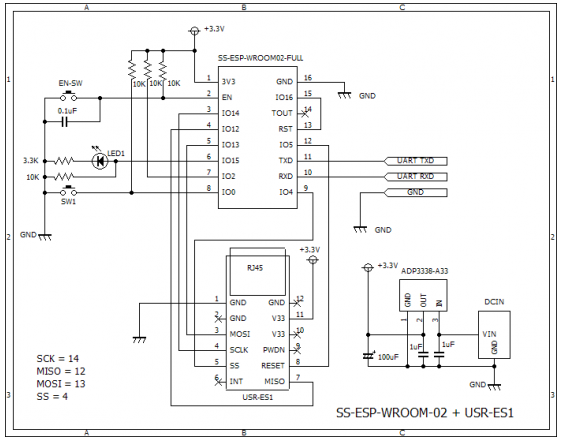
The SPI interface is used to communicate between the ESP8266 and the Ethernet module.
Typical SPI Connections:
- MOSI → MOSI
- MISO → MISO
- SCLK → SCLK
- CS → Chip Select
- GND → GND
- 3.3V → VCC
Important considerations:
- The ESP-WROOM-02 operates at 3.3V logic levels.
- Ensure the Ethernet module supports 3.3V logic or use level shifting if required.
- Provide stable power; Ethernet modules can draw higher current during transmission.
Software Environment
Development can be performed using:
- Arduino IDE with ESP8266 board support or ESP8266 SDK
An appropriate Ethernet library compatible with SPI-based Ethernet controllers must be used. Library compatibility depends on the Ethernet chipset inside the USR-ES1 module.
Example Initialization Code
Below is a simplified example showing Ethernet initialization using an SPI-based Ethernet controller.
#include <SPI.h>
#include <Ethernet.h>

byte mac[] = { 0xDE, 0xAD, 0xBE, 0xBE, 0xFE, 0xED };
EthernetClient client;

void setup() {
  Serial.begin(115200);
  SPI.begin();

  if (Ethernet.begin(mac) == 0) {
    Serial.println("Ethernet initialization failed");
    while (true);
  }

  Serial.print("Assigned IP address: ");
  Serial.println(Ethernet.localIP());
}

void loop() {
  // Add TCP or UDP communication logic here
}
Note: Library selection must match the Ethernet controller used in the USR-ES1 module.
Testing and Verification
After uploading firmware:
- Connect an Ethernet cable to the module.
- Monitor the Serial output.
- Confirm that a valid IP address is assigned via DHCP.
- Test connectivity using :
- Ping from a PC
- TCP client/server communication
- HTTP request transmission
Successful IP assignment and network response confirm correct integration.
Performance Considerations
- SPI speed directly affects Ethernet throughput.
- The ESP8266 has limited RAM compared to larger MCUs.
- Wired Ethernet provides more stable latency compared to Wi-Fi.
- Power supply stability significantly impacts reliability.
Applications
This configuration can be used in:
- Industrial IoT devices requiring stable wired communication
- Secure network environments where Wi-Fi is restricted
- Gateway devices bridging wireless and wired networks
- Embedded TCP/IP control systems
AEO (Answer Engine Optimization) Section
Can ESP-WROOM-02 use Ethernet instead of Wi-Fi?
Yes. Although ESP-WROOM-02 is primarily a Wi-Fi module, it can use wired Ethernet by connecting an SPI-based Ethernet module such as the USR-ES1.
How do you connect an Ethernet module to ESP8266?
You connect the Ethernet module via SPI (MOSI, MISO, SCLK, CS) and provide a stable 3.3V power supply. Then, you use an Ethernet-compatible library to initialize the network stack.
Does ESP8266 support wired Ethernet natively?
No. ESP8266 does not have a built-in Ethernet MAC or PHY. An external Ethernet controller module is required.
What are the advantages of using Ethernet with ESP8266?
- More stable connection compared to Wi-Fi
- Lower latency in controlled networks
- Improved reliability in industrial environments
- No RF interference issues
Is Ethernet faster than Wi-Fi on ESP8266?
In many controlled environments, wired Ethernet provides more consistent and stable throughput. However, overall performance depends on SPI speed and system optimization.
When should you choose Ethernet over Wi-Fi for IoT devices?
Ethernet is preferred when:
- Wireless interference is high
- Network security policies restrict Wi-Fi
- Continuous, stable connectivity is required
- Industrial or factory deployment is involved