---
title: "STM Lesson 93. LAN. W5500. HTTP Server. Sockets. Part 2"
url: "https://maker.wiznet.io/teddy/projects/stm-lesson-93-lan-w5500-http-server-sockets-part-2/"
markdown_url: "https://maker.wiznet.io/teddy/projects/stm-lesson-93-lan-w5500-http-server-sockets-part-2/md"
type: "UCC: User Created Content"
author: "Narod stream"
author_url: "https://narodstream.ru/stm-urok-93-lan-w5500-http-server-sokety-chast-2/"
editor: "WIZnet"
editor_url: "https://maker.wiznet.io/"
original_author: "Narod stream"
original_url: "https://narodstream.ru/stm-urok-93-lan-w5500-http-server-sokety-chast-2/"
published: "2023-08-02"
language: "en"
likes: 0
views: 248
comments: 0
source: "WIZnet Makers (https://maker.wiznet.io/)"
---
# STM Lesson 93. LAN. W5500. HTTP Server. Sockets. Part 2
> STM Lesson 93. LAN. W5500. HTTP Server. Sockets. Part 2
Original author: Narod stream (source: https://narodstream.ru/stm-urok-93-lan-w5500-http-server-sokety-chast-2/)
## Article
## **LAN. W5500. HTTP Server. Sockets**
B [**previous part**](https://narodstream.ru/stm-urok-93-lan-w5500-http-server-sokety-chast-1/) lesson we got acquainted with the concept of sockets, and also made certain amendments to the code for working with them.
In function **http_request** change the little output in the USART file name by adding the socket number there as well
`strcpy(httpsockprop[sn].fname,tmpbuf);`
`}`
`**sprintf(str1,**``**"S%d %srn"**``**,sn, httpsockprop[sn].fname);**`
`**HAL_UART_Transmit(&huart2,(uint8_t*)str1,strlen(str1),0x1000);**`
`f_close(&httpsockprop[sn].MyFile);`
Here we also display the socket number
`sprintf(str1,``"**S%d **f_open: %drn"``,**sn,**result);`
`HAL_UART_Transmit(&huart2,(uint8_t*)str1,strlen(str1),0x1000);`
`sprintf(str1,``"**S%d **f_size: %lurn"``,**sn,**MyFile[sn].fsize);`
`HAL_UART_Transmit(&huart2,(uint8_t*)str1,strlen(str1),0x1000);`
And here
`sprintf(str1,``"**S%d **data size:%lu; cnt data part:%u; last_data_part_size:%urn"``,**sn,**`
`(``unsigned``long``)httpsockprop[sn].data_size, httpsockprop[sn].cnt_rem_data_part, httpsockprop[sn].last_data_part_size);`
And here we confirm in the terminal program the closure of the socket in case of transmission of the one-buffer page. Display a little differently to make it different
`DisconnectSocket(sn); ``//Разъединяемся`
`SocketClosedWait(sn);`
`**sprintf(str1,**``**"S%d (one) closedrn"**``**,sn);**`
`**HAL_UART_Transmit(&huart2,(uint8_t*)str1,strlen(str1),0x1000);**`
In function **tcp_send_http_one** in the body conditions in case of transmission of the page with an error, display this information with the socket number
`else`
`{`
`** sprintf(str1,**``**"S%d file not foundrn"**``**,sn);**`
`** HAL_UART_Transmit(&huart2,(uint8_t*)str1,strlen(str1),0x1000);**`
`header_len = strlen(error_header);`
We collect the code, send the controller and try to request some kind of document heavier. I also added a background to the page in the form of a repeating picture using the design style
`****`
We need to get this result in browsers
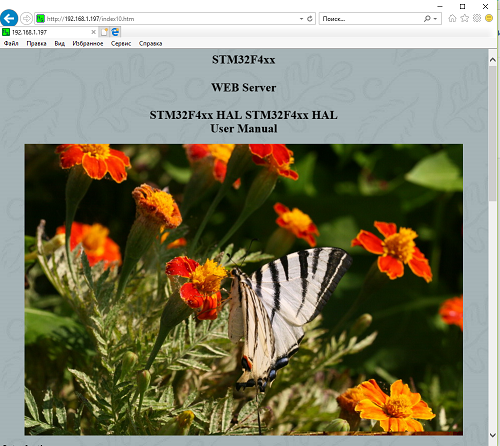
We see that everything is displayed. And why in browsers, and because now we can request pages from our mini-server in any server, we are now not afraid that the browser will want to open several connections.
Here is the result in the Google Crome browser
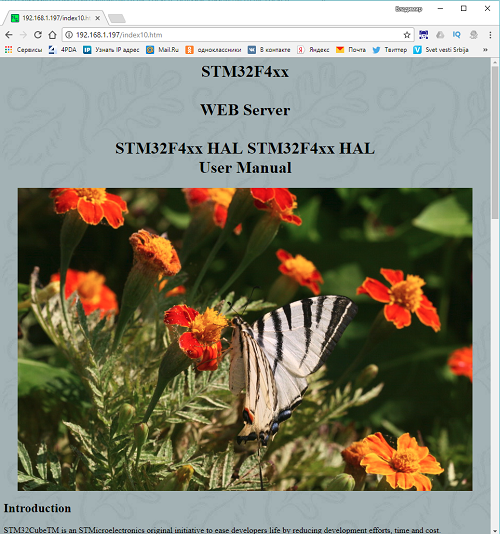
Let's try to open such a file with several drawings
`****`
`**STM32F103x8
WEB Server
**`
`****`
`**  **`
`**
**`
`**  **`
`**
**`
`**  **`
`**
**`
`**  **`
`**
**`
`**  **`
`**
**`
`**  **`
`**
**`
`**  **`
`**
**`
`**  **`
`**
**`
`**  **`
`**
**`
`**  **`
`**
**`
`**
**`
`****`
Open it in the Google Chrome browser
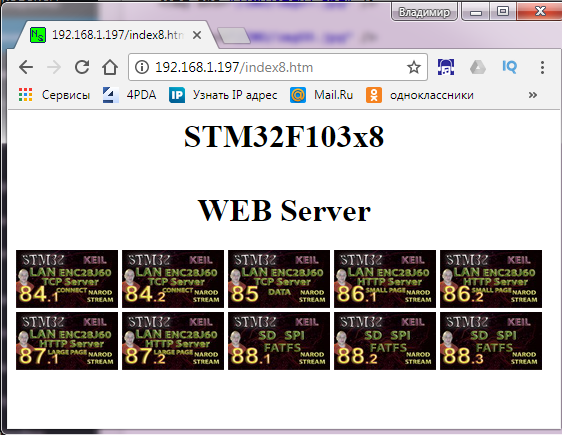
Let's see how sockets switch in the terminal program
**Terminal out**
We see that all 6 sockets participate in the work. Fine! So everything is right.
Thanks to everyone for the attention!
[Embedded media](https://www.youtube.com/embed/VDNifJyaKU4)
---
Source: https://maker.wiznet.io/teddy/projects/stm-lesson-93-lan-w5500-http-server-sockets-part-2/