---
title: "[Dejie Electronics Follow me Episode 4] Basic Task 1: Complete the initialization of the W5500 main"
url: "https://maker.wiznet.io/mark/projects/dejie-electronics-follow-me-episode-4-basic-task-1-complete-the-initialization-of-the-w5500-main/"
markdown_url: "https://maker.wiznet.io/mark/projects/dejie-electronics-follow-me-episode-4-basic-task-1-complete-the-initialization-of-the-w5500-main/md"
type: "UCC: User Created Content"
author: "流行科技"
author_url: "https://bbs.eeworld.com.cn/thread-1272311-1-1.html"
editor: "WIZnet"
editor_url: "https://maker.wiznet.io/"
original_author: "流行科技"
original_url: "https://bbs.eeworld.com.cn/thread-1272311-1-1.html"
license: "Apache License 2.0 (Apache-2.0)"
published: "2025-12-05"
language: "en"
likes: 0
views: 382
comments: 0
source: "WIZnet Makers (https://maker.wiznet.io/)"
---
# [Dejie Electronics Follow me Episode 4] Basic Task 1: Complete the initialization of the W5500 main
> [Dejie Electronics Follow me Episode 4] Basic Task 1: Complete the initialization of the W5500 main control board
Original author: 流行科技 (source: https://bbs.eeworld.com.cn/thread-1272311-1-1.html)
## Article
| Initialization itself has routines; the main issue is library selection. We need to be careful when choosing libraries for Arduino. 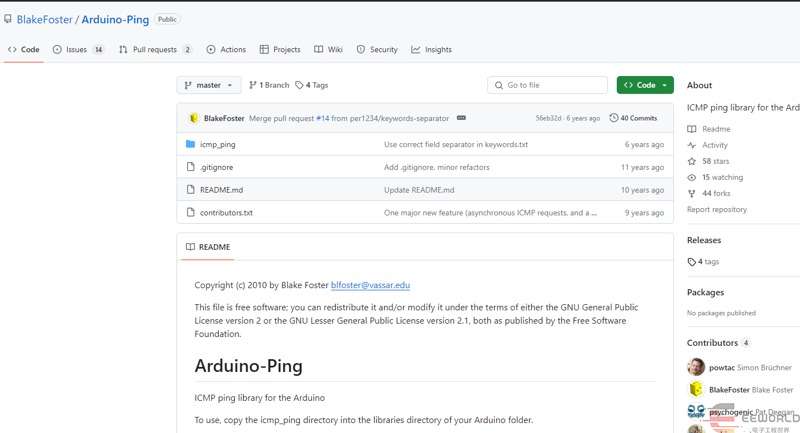 Initially, you might encounter a Ping library like this, but you'll need to modify it manually, which is quite troublesome. A user provided a ping library at: 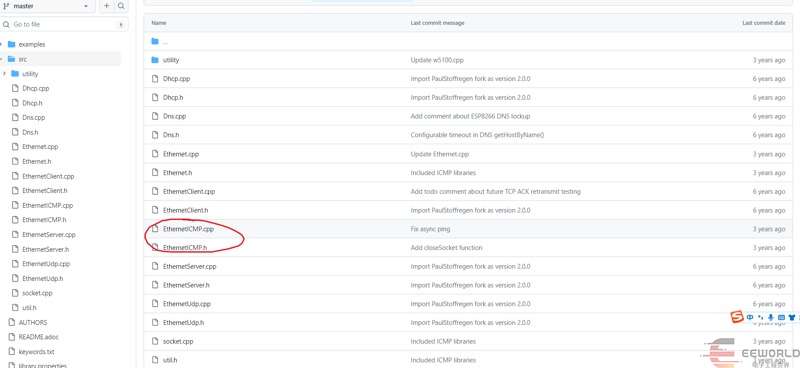 However, the official documentation currently lists this library as version 2.02. 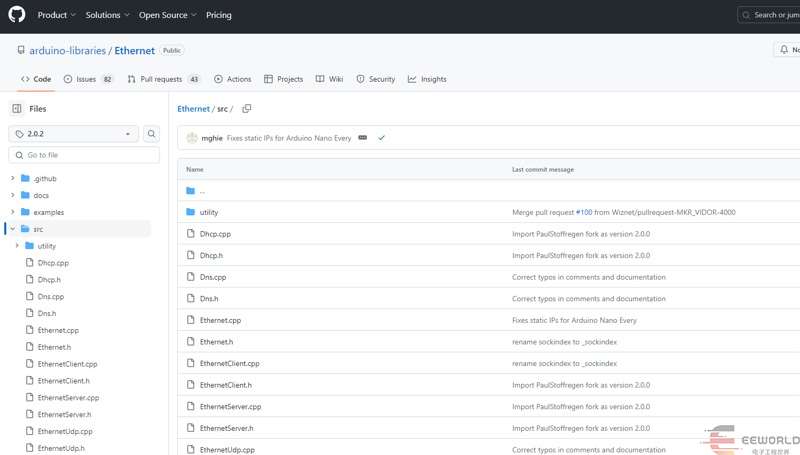 Someone submitted a question, but there seems to be no response yet. For testing, you can refer to the examples provided by the ICMP_PING library. ```plaintext
#include
#include
#include
#include
byte mac[] = {0xDE, 0xAD, 0xBE, 0xEF, 0xFE, 0xED}; // max address for ethernet shield
IPAddress ip(192,168,1,155); // ip address for ethernet shield
IPAddress pingAddr(192,168,1,3); // ip address to ping
DNSClient dnClient;
SOCKET pingSocket = 0;
EthernetICMPPing ping(pingSocket, (uint16_t)random(0, 255));
void ping_ip(const IPAddress &pingAddr1)
{
EthernetICMPEchoReply echoReply = ping(pingAddr1, 4);
char buffer [256];
if (echoReply.status == SUCCESS)
{
sprintf(buffer,
"Reply[%d] from: %d.%d.%d.%d: bytes=%d time=%ldms TTL=%d",
echoReply.data.seq,
echoReply.addr[0],
echoReply.addr[1],
echoReply.addr[2],
echoReply.addr[3],
REQ_DATASIZE,
millis() - echoReply.data.time,
echoReply.ttl);
}
else
{
sprintf(buffer, "Echo request failed; %d", echoReply.status);
}
Serial.println(buffer);
delay(500);
}
void ping_site() {
dnClient.begin(Ethernet.dnsServerIP());
const char domains[20] = { "www.baidu.com"};
IPAddress dstip;
if (dnClient.getHostByName(domains, dstip) == 1) {
Serial.print(domains);
Serial.print(" = ");
Serial.println(dstip);
ping_ip(dstip);
} else{
Serial.println(F("dns lookup failed"));
}
}
void setup()
{
Serial.begin(9600);
while (!Serial)
;
// You can use Ethernet.init(pin) to configure the CS pin
//Ethernet.init(10); // Most Arduino shields
//Ethernet.init(5); // MKR ETH shield
//Ethernet.init(0); // Teensy 2.0
//Ethernet.init(20); // Teensy++ 2.0
//Ethernet.init(15); // ESP8266 with Adafruit Featherwing Ethernet
//Ethernet.init(33); // ESP32 with Adafruit Featherwing Ethernet
Ethernet.init(17); // WIZnet W5100S-EVB-Pico W5500-EVB-Pico W6100-EVB-Pico
// start Ethernet
Ethernet.begin(mac, ip);
// Ethernet.begin(mac, ip, myDns, gateway, subnet);
}
void loop()
{
// ping_site();
ping_ip(pingAddr);
}
``` When pinging a website, you still need to obtain the website's IP address before pinging. 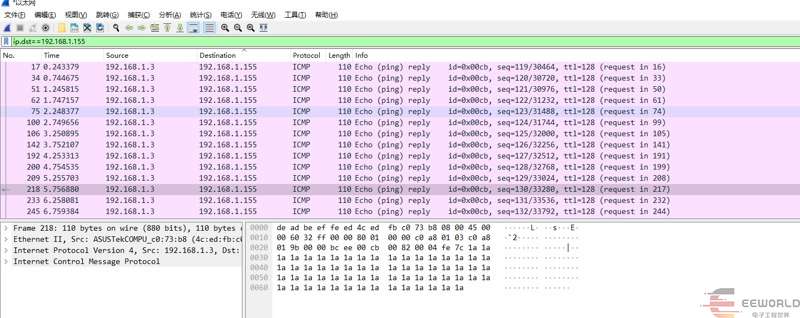 Using Wireshark to view the ping of your own host will look like this. |
| --- |
---
Source: https://maker.wiznet.io/mark/projects/dejie-electronics-follow-me-episode-4-basic-task-1-complete-the-initialization-of-the-w5500-main/